macOS ARM is not supported via the installer. It still only compiles for macOS 64 bit Intel. I strongly suggest to take a look at TMS Smart Setup, to cover all platforms required.
I tried uninstalling and then reinstalling using Smart Setup as you suggested. It seems it did not install MacOS for Delphi 13 at all. The paths I had previously added are now marked invalid and the compiler cannot find the TMSFNC units compiling under Mac OS 32-bit or Mac OS ARM 32-bit.
So the result here was worse than with the normal registered download.
After uninstalling everything, you should sanitize your Delphi IDE settings (and possibly Windows) by removing what you have manually added, like those invalid library paths and maybe even valid ones. Remove what you have manually added to Windows PATH environment variable.
Then you can install everything. If problems persist, please try to follow the advices in this topic:
If problems persist, then indicate what is the exact problem you are experiencing (error message and/or screenshots), and then please send the file in Logs\logs.zip file.
Hi,
This looks related with macOS 26 changes in frameworks. UI pack was tested against macOS 15.5 (the one available at launch, also in D13 launch), and with 15.5 it compiles correctly, but fails in 26.
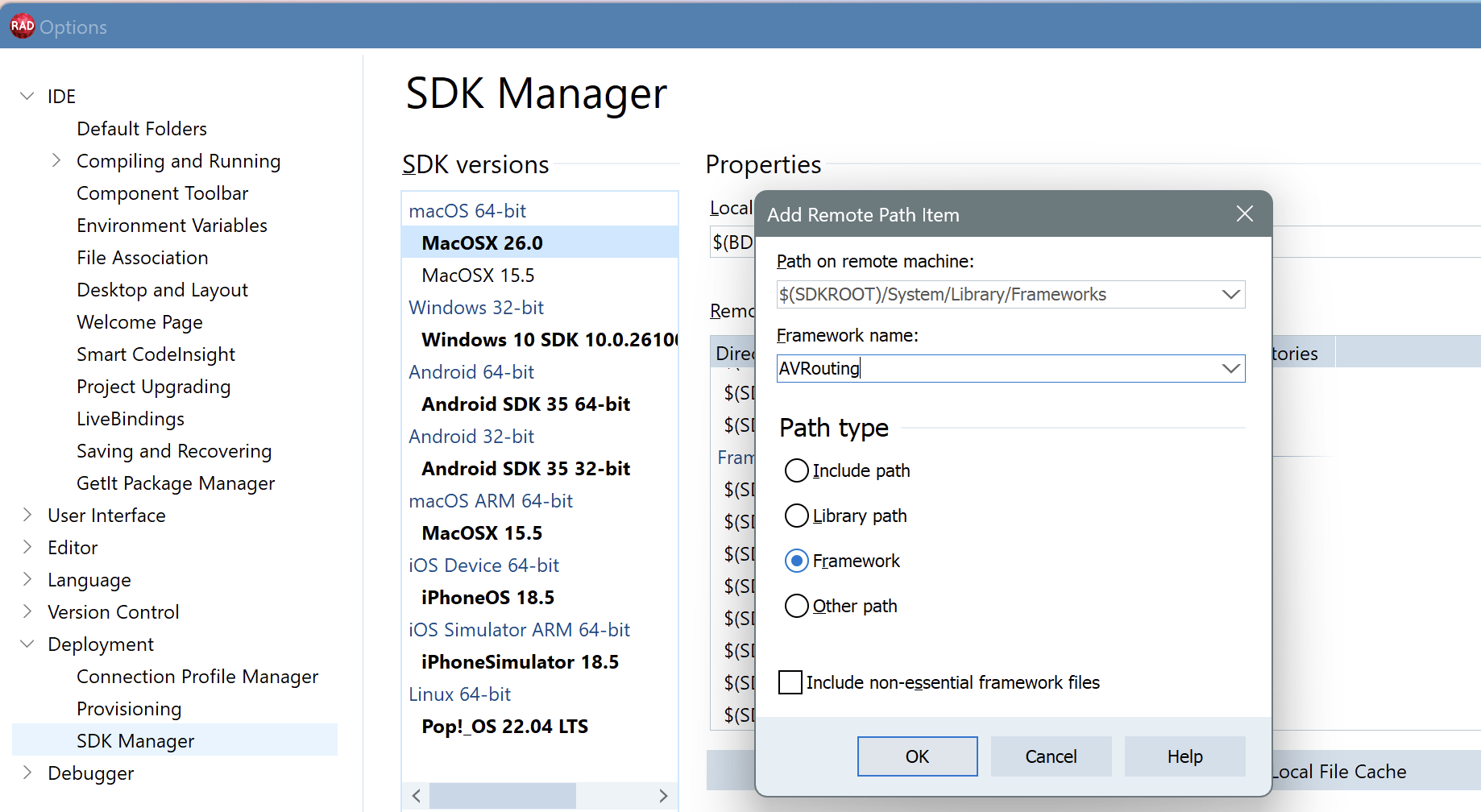
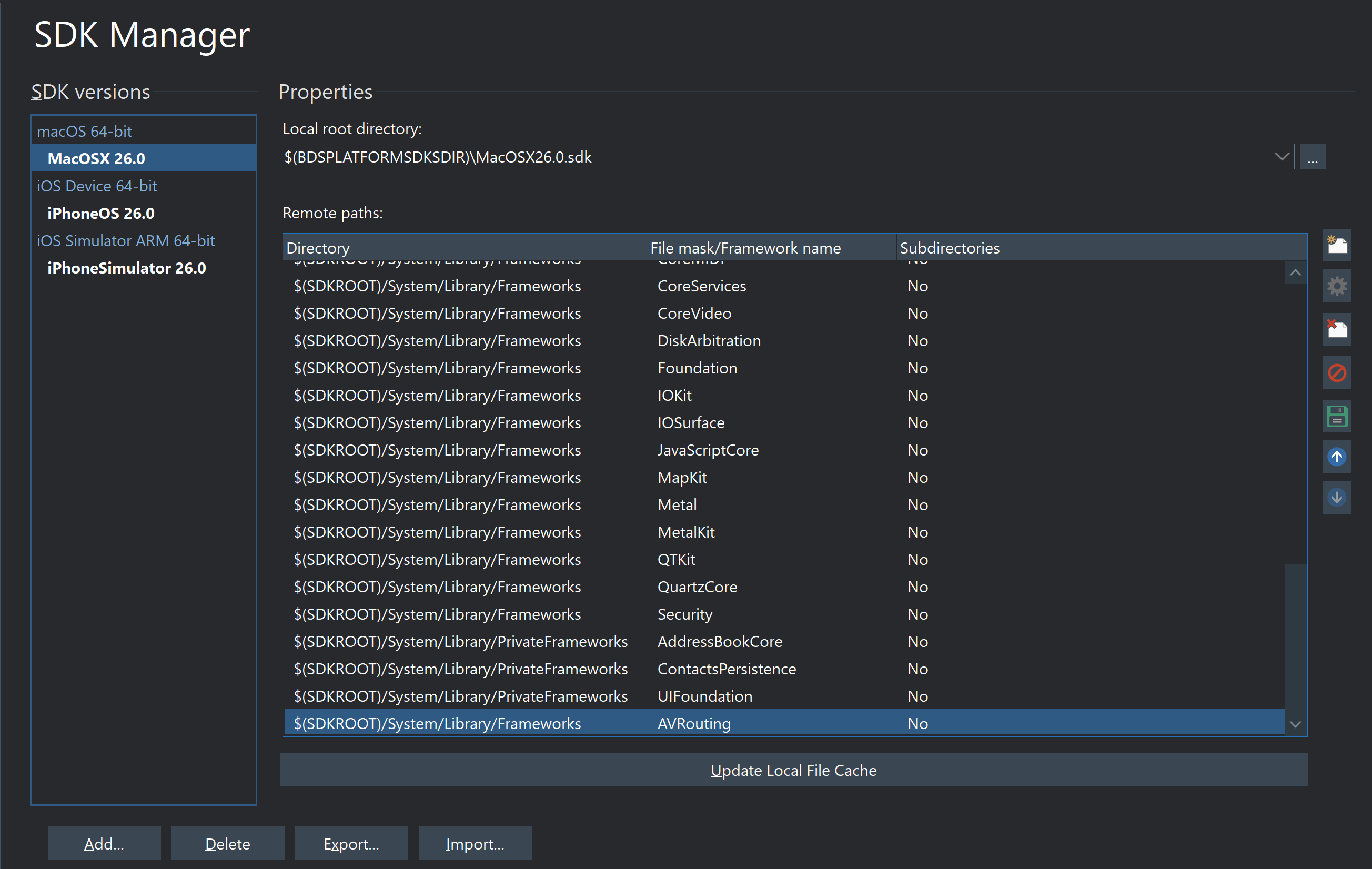
To fix it, you will need to manually add AVRouting to the SDK.
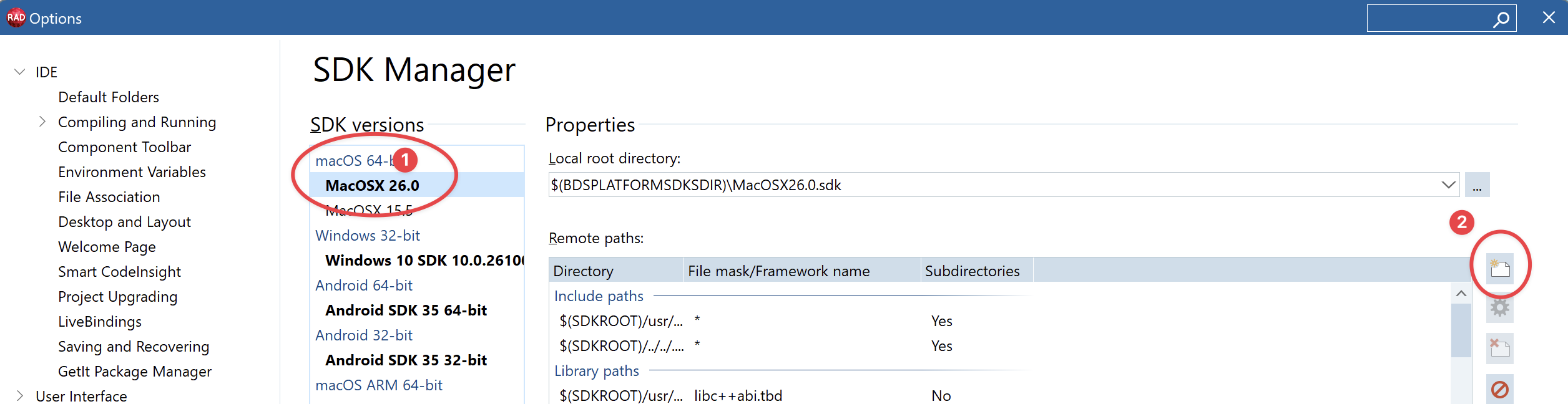
In Delphi, go to Tools->Options and select Deployment->SDK Manager
There, select the macOS 26 sdk (1) and press the "Add new path item" (2):
After that try reinstalling (you can just write tms build -full in the command line, or use whatever gui you prefer). I tried it here, and while I originally got the same error as you, after adding the AVRouting framework it compiles correctly
[EDIT] As mentioned below in this thread, don't forget to click "Update local cache" once you added the framework!
Adding AVRouting is needed for macOS26. This seems to be a new framework in macOS26, and Delphi 13 doesn't fetch it by default (maybe because Delphi 13 was released before macOS26), so you need to manually add it. This is something we will have to document, or convince embarcadero to fix.
But if you add AVRouting, it should work (it is working here without issues, but only after adding AVRouting). Can you share your smartsetup log so we can see what is going on?
Glad to know it worked! And thanks for the extra information, indeed, you need to update the cache too. I've edited the original instructions to add that step, so it is clear if more people finds this thread
I can also confirm that this works. Definitely needs to be done in the correct order - fix the sdk issue first before installing the FNC components.
I also note that in Smart Setup, it appears that it is no longer necessary to first install the Core and then install the UI Pack. It looks like installing the UI Pack automatically installs the Core (whether you've already done it or not.)