When i start my project with target windows, all is running,
but now i access Mac and after i connect and run my project with target MacOS64, the tms fnc units cant be found. Do i have to take additional units tms in the library ?
Thanks for helping
Adrian
Pieter
February 5, 2026, 9:49am
2
You need to add the path to the source files in the Library Path of your MacOS 64 bit target or switch to TMS Smart Setup. TMS Smart Setup introduction | TMS Smart Setup documentation
Hi,
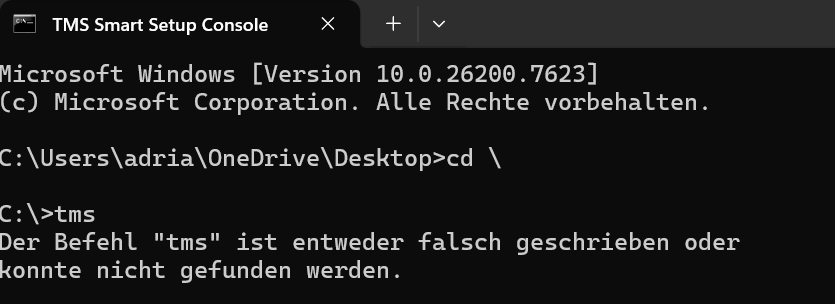
thanks, i wanted to use command line to install.
But when i enter tms as you can see in the attach, it doesnt know the command
Pieter
February 5, 2026, 12:06pm
4
Did you download TMS Smart Setup and extract it in the folder of your choice? the command prompt should then be started from that folder, where tms.exe is located
in the command line it wasn’t possible to enter my credentials code, when i tapped on the keyboard, nothing was installed.
=== Repository Summary ===.txt|attachment (6.4 KB)
Pieter
February 5, 2026, 12:32pm
7
Please attach the logs (there is a separate log folder with a zip file inside), you can attach it here
Pieter
February 5, 2026, 12:54pm
9
Hi, thank you for the logs, the error indicates
error E2597: ld: file not found: /System/Library/Frameworks/AVRouting.framework/Versions/A/AVRouting for architecture x86_64
This means that there needs to be something configured additionally in the macOS SDK to allow proper compiling
Hi,
This looks related with macOS 26 changes in frameworks. UI pack was tested against macOS 15.5 (the one available at launch, also in D13 launch), and with 15.5 it compiles correctly, but fails in 26.
To fix it, you will need to manually add AVRouting to the SDK.
In Delphi, go to Tools->Options and select Deployment->SDK Manager
There, select the macOS 26 sdk (1) and press the "Add new path item" (2):
[2025-10-06_10.17.32]
After that, write $(SDKROOT)/System/Library/Frameworks in the "P…
Hi Pieter,
i have done all steps exactly as explained and it was compiling without error.
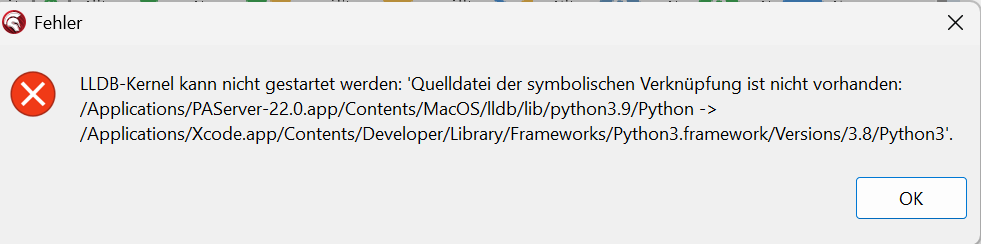
Only now when i run my application and after compiling it says it deploys to Mac, there is an error like you can see in the attach.
Thanks for helping Adrian
Pieter
February 5, 2026, 3:16pm
11
Hi,
Have you installed all patches for Delphi 12, and then copied the latest PAServer to the mac?
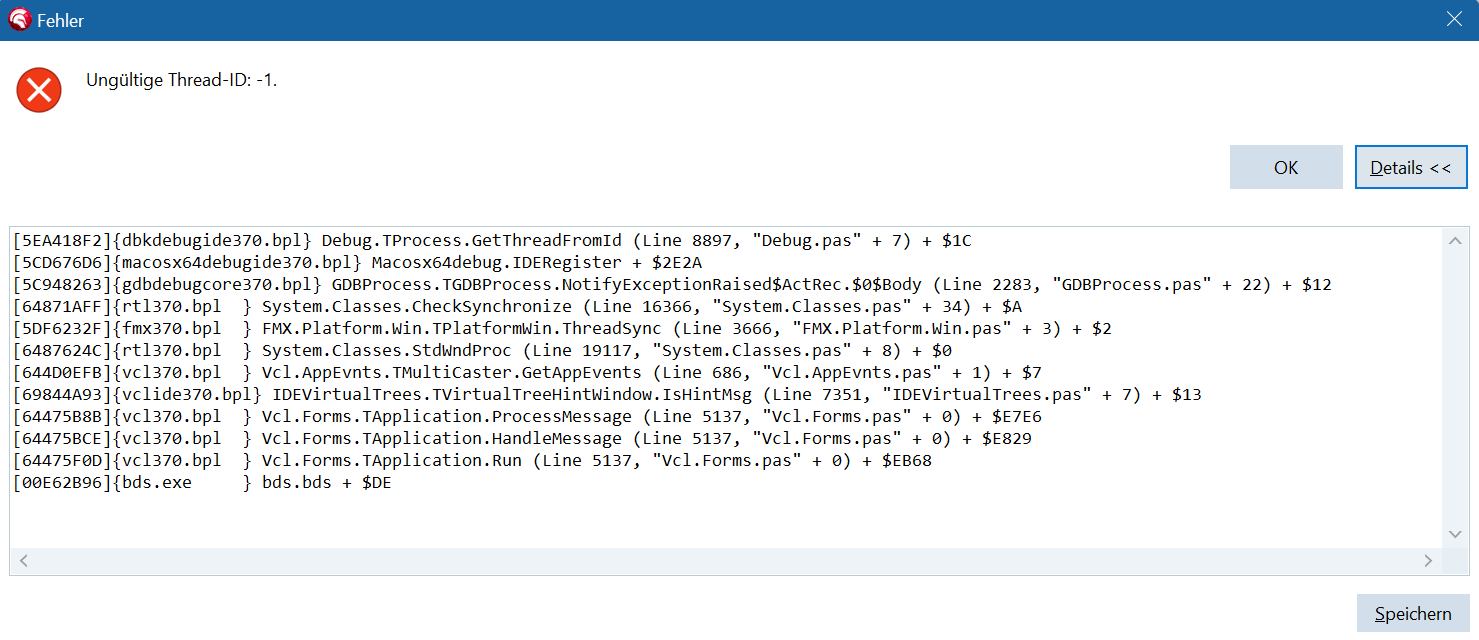
Now i have correct with Delphi new version 13, it compiles correct, but when it sends it to the Mac, an error ocurred like in attach.
Please help
i have runned in debug mode
Pieter
February 18, 2026, 12:04pm
14
Hi,
I can’t really see an issue related to our components? Also, It seems it mixes VCL & FMX, are you sure you are running a pure FMX applications?