Hi!
DBAdvGrid has an issue when:
-the dataset is empty
-You insert or append a record
-start editing some column (activate the inplace editor)
-cancel the edition (by pressing X using the dbnavigator)
-then trying to add a record again
It shows a second blank line, and rises an error depending on the kind of dataset.
How to reproduce it:
Open the DBAdvGrid ADOEDiting Demo
Replace:
adotable1.TableName := 'Cars';
by
adotable1.TableName := 'Carsempty';
(luckly there's an empty cars table)
Run it, and do the sequence I described above.
Press +
Edit something in brand and before exiting, press X
Then press + again
It happens even using "hideinplaceedit" in OnAfterCancel.
My (awful) workaround after hours was:
procedure MyForm.MyDatasetAfterCancel(Sender: TDataset);
begin
if MyDataset.RecordCount = 0 then begin
MyDataset.Close;
MyDataset.Open;
end;
end;
Are you using the latest version of the component as I tried to reproduce this here but I could not see this problem here. The recording of the steps with which I tried to reproduce is here:
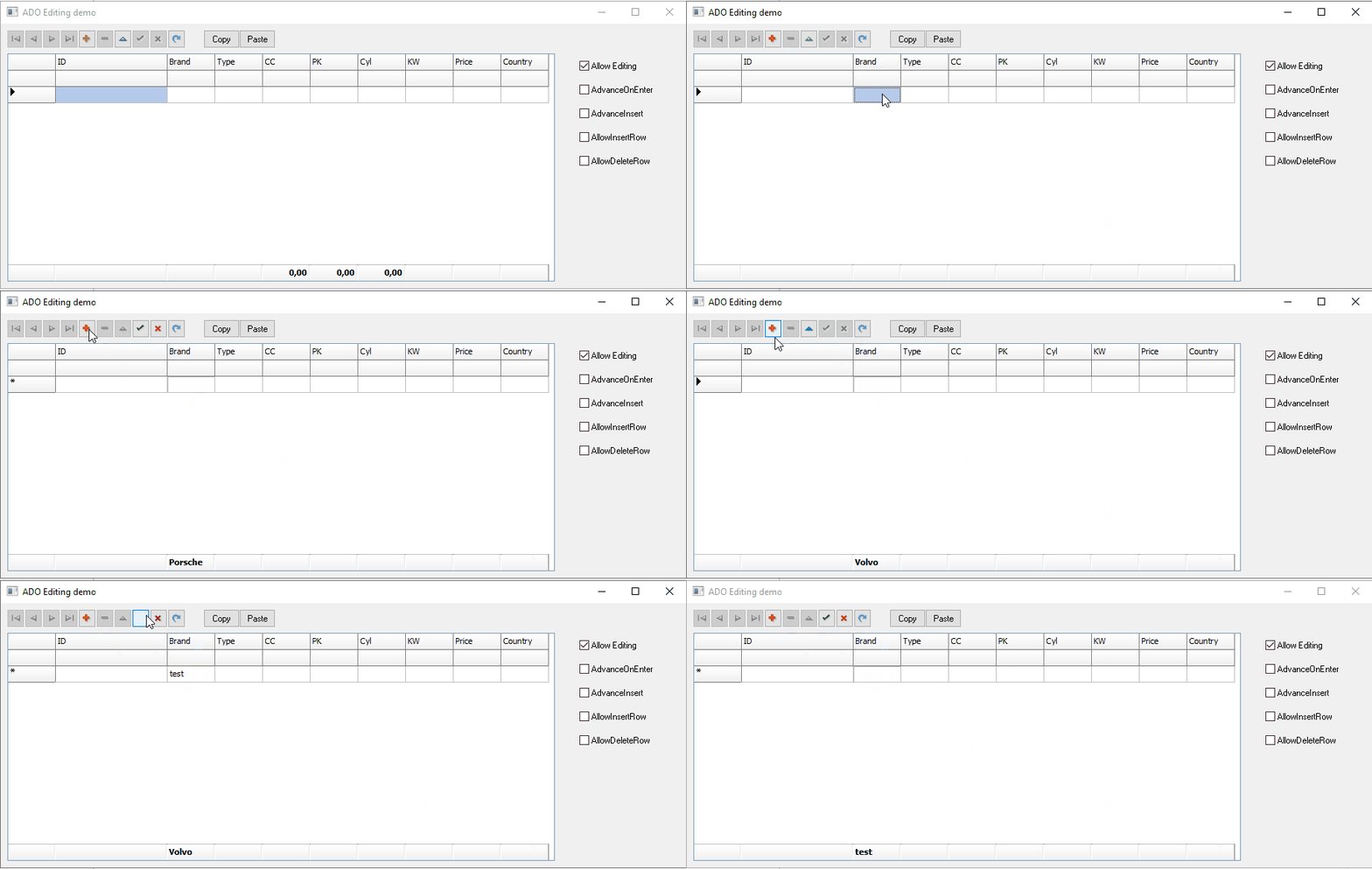
Latest version, Delphi 11
Note that in my case, after pressing cancel the button is still enabled
Pressing cancel once
If I press it twice, many errors may occur afterwards when mouse is over the grid
Pressing cancel twice
I still cannot reproduce this with the latest version TMS VCL UI Pack v13.5.10.0.
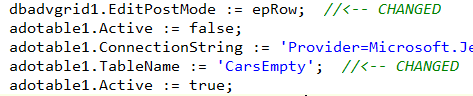
The only change I make in the ADOEditing demo code is:
  adotable1.Active := false;
  adotable1.ConnectionString := 'Provider=Microsoft.Jet.OLEDB.4.0;Data Source=.\cars.mdb;Persist Security Info=False';
  adotable1.TableName := 'CarsEmpty';  <--
  adotable1.Active := true;
When I add the line:
caption := dbadvgrid1.VersionString;
i see in the caption
2.8.3.8 Nov, 2025
Please check if you use the same version.

Sorry, seems like I missed something: EditPostMode = epRow
I mean, I get the issue when using EditPostMode = epRow.
I forgot to mention it as another change to the demo. The demo running with epCell does not reproduce the problem.
It doesn't happen when the dataset has already at least 1 row.
I still cannot reproduce this with the following changres int eh code:
procedure TForm1.FormCreate(Sender: TObject);
begin
  adotable1.Active := false;
  adotable1.ConnectionString := 'Provider=Microsoft.Jet.OLEDB.4.0;Data Source=.\cars.mdb;Persist Security Info=False';
  adotable1.TableName := 'CarsEmpty';  //<-- CHANGED
  adotable1.Active := true;

  dbadvgrid1.EditPostMode := epRow;  //<-- CHANGED
  dbadvgrid1.FloatingFooter.Visible := true;
  dbadvgrid1.FloatingFooter.ColumnCalc[4] := acSum;
  dbadvgrid1.FloatingFooter.ColumnCalc[5] := acAvg;
  dbadvgrid1.FloatingFooter.ColumnCalc[6] := acMin;
end;
So, please provide me a test project so I can reproduce this instead of continuing trial & error.
We could now reproduce this.
We traced & solved this issue and the next update will address this.
Hi!

Please use the previous attached project again.
It's still rare.
When you cancel, the field content you've been editing is not cleared, even on pre-existing records it's not reseted back to it's original content if you cancel without having pressed enter while editing. I didn't notice if it happened before the update.
Now when you cancel, it's really cancelled (at db level), but I had to do this in order to clear cell content or turn it back to the field's original value (when cancelling without having moved from the edited cell or not having pressed ENTER after editing):
procedure TForm1.ADOTable1BeforeCancel(DataSet: TDataSet);
begin
  dbadvgrid1.DoneInplaceEdit(VK_RETURN, []);
end;
What are exact steps to reproduce this?
When we use the steps you already gave, after cancelling, the value in the 'Brand' cell is cleared. After cancelling editing an existing record Brand value, cancelling restores the value before editing. So, it is unclear what exact steps you perform to reproduce this.
No further steps. Just using the project I attached before (or modifying the newly installed demo).
dbadvgrid weird issue.zip (1.0 MB)
Now attached a MP4 in this zip.
Same project, recompiled with last version (2.8.3.9)
Sorry, but I cannot reproduce this. Tried multiple times.
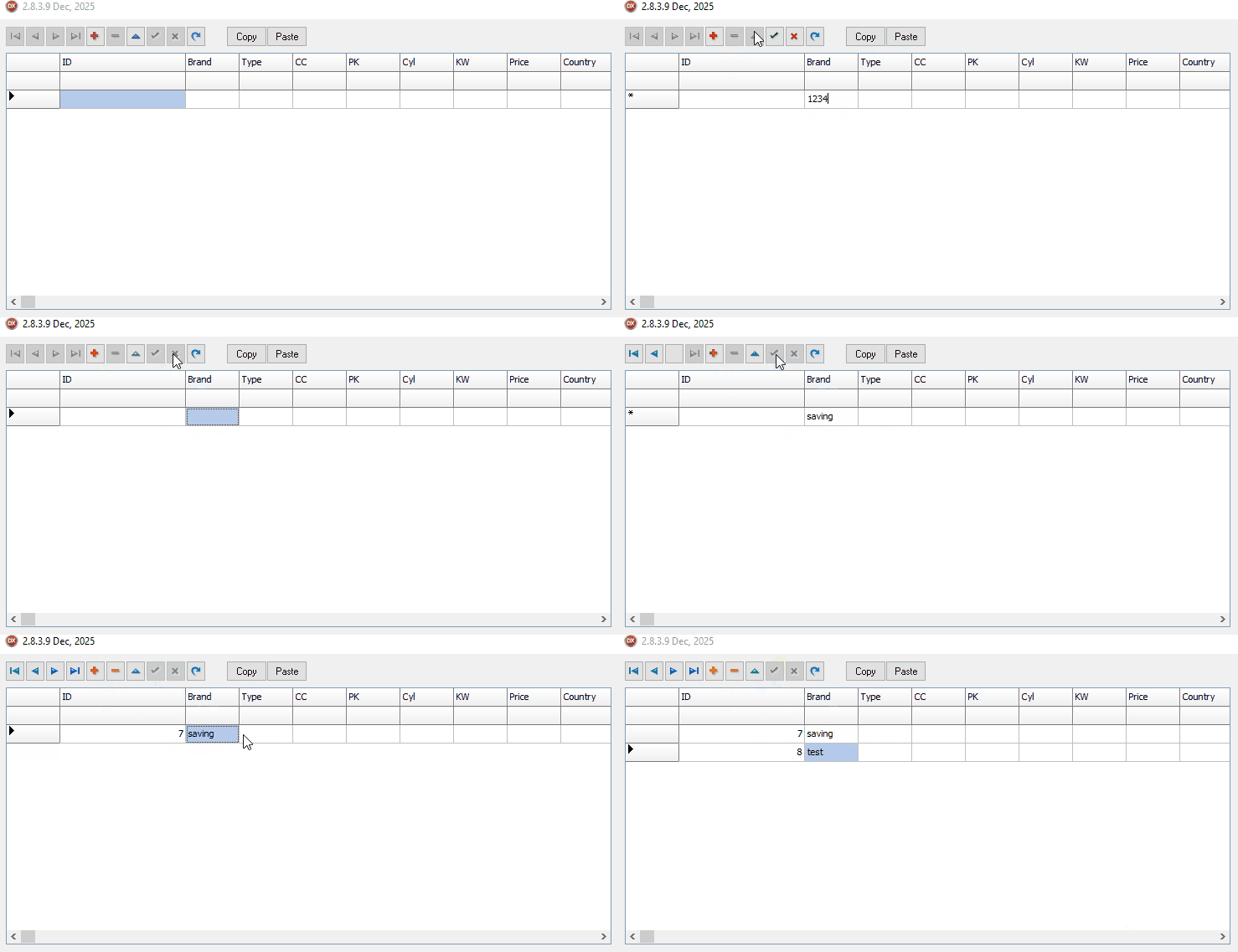
Hi!
I tried many times, with the new demo vs the previous project. Previous project working well, new demo failing everytime, until it suddenly started working well.
I can't describe it.
This morning I decided to test one last time, and in the first run it created again 2 empty lines and raised an error while playing with editing/canceling after starting with an empty dataset.
Maybe in a month or 2 I'll try to reproduce it again and tell the exact steps to get it without the random results I got yesterday.
Thanks !
