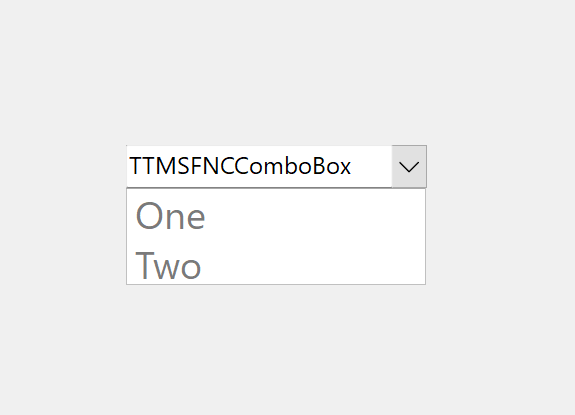
If I open a new project, drop a TMSFNCComboBox on the form, add three items ("One", "Two", and "Three") to the combo box and run the project, I get the following display:
TMS FNC products support multiple frameworks and targets so we'll need a bit more context to be able to reproduce what you are seeing as we cannot see anything wrong in a simple FMX app with Windows target.
What is your IDE version, which framework and platform are you targeting?
Alternatively, you can also provide a sample project.
Thank you for the sample project.
Unfortunately we can't see the same issue as you do. However, we noticed the ItemAppearance.VariableMinimumHeight is set to 39.0625, is that something you modified yourself? The default value is 25, would it fix the issue if you changed it to that?
Just now, I literally just opened a new project, dropped the TTMSFNCComboBox on the form, changed the items to Öne", "Two", "Three"" (touched nothing else) and ran the project and it came out the same. Then I went back and looked at the VariableMinimumHeight, it was set to something a little over 39 and I set it to 25, I ran it again and still had the same problem - only Öne"and "Two" showed up on the screen.
Maybe the solution lies somewhere with figuring out how that one variable initially gets set to something other than 25 and the actual problem is that some other variable is also getting set wrong.
I could send you my project again, but you've already got one where I suspecting it might have something to do with the other components I has used my project.
The plot thickens a little more - if I create the combo box in code, it displays properly. If the combo box is created using the IDE then the font size and vertical spacing is larger for the dropdown. The box for the dropdown is the same size whether it is created in code or with the IDE. For example, the following code works:
I have another issue that pops up in my project that I am working on that may be related too. It starts out testing fine. The items in the dropdowns of the combo boxes all display correctly. The files are saved many times. I think everything is working - the forms are displaying perfectly. Then (maybe a week later) I happen to open a combobox that had already been tested as working perfectly and the font size and line spacing has grown to something like the whole screen height. So, it looks like there is something like the font sizes grow periodically but only for the dropdowns (maybe triggered by saving, reopening, executing, adding code, I don't know what triggers it). The visual part of the screen works fine and doesn't change.
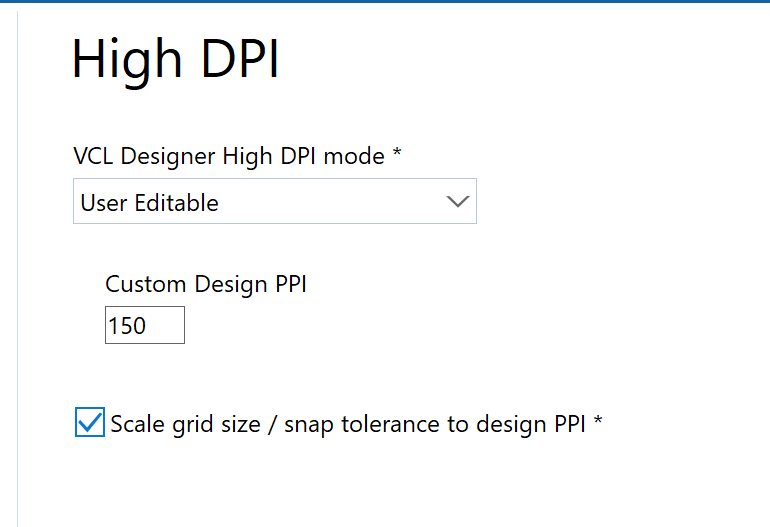
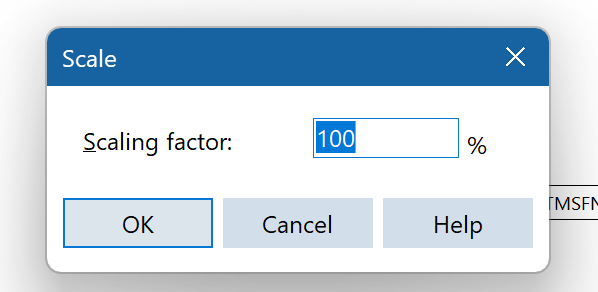
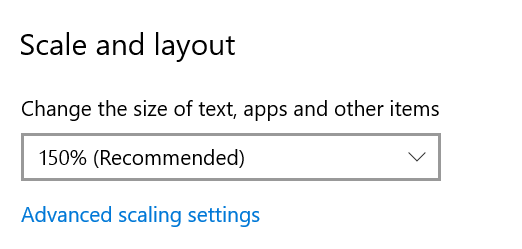
That all sounds very strange considering we cannot see an issue here. Perhaps it's related to the IDE itself. What are your HighDPI settings? It could be that is the one messing with loading the DFM values. In addition to HighDPI, what is the scaling of your screen? We'd like to retest here with the same settings.
I am not positive what you are referring to for "scaling of your screen" - that is something I don't think I have ever messed with, so I did find one scaling. If that is not correct, tell me how to find it,
I need to demo this product I am currently developing in 1 week. Can you give me an idea when the next version will be released or is it possible to get the fix before it is in general release?