I know how to load a pdf as base64 in an iframe in TTMSFNCWebBrowser.
Is it possible to print it from code without human interaction? and how?
Thank you in advance
Since the browser is able to render HTML & execute JavaScript, you might want to use https://printjs.crabbly.com/
Thank you a lot but even that, does not work
I used the following:
pdfdata :=
'<html>' +
'<head>' +
'  <script src="https://printjs-4de6.kxcdn.com/print.min.js"></script>' +
'  <link rel="stylesheet" href="https://printjs-4de6.kxcdn.com/print.min.css">' +
'</head>' +
'<body>' +
'  <p>Printing PDF...</p>' +
'  <script>' +
'    window.onload = function() {' +
'      setTimeout(function() {' +
'        printJS({' +
'          printable: "' + p + '",' +
'          type: "pdf",' +
'          base64: true' +
'        });' +
'      }, 500);' +  // Small delay to ensure everything is loaded
'    };' +
'  </script>' +
'</body>' +
'</html>';
webb.LoadHTML(pdfdata);
It will not work locally, you need to upload your sample to a server and access it via http://
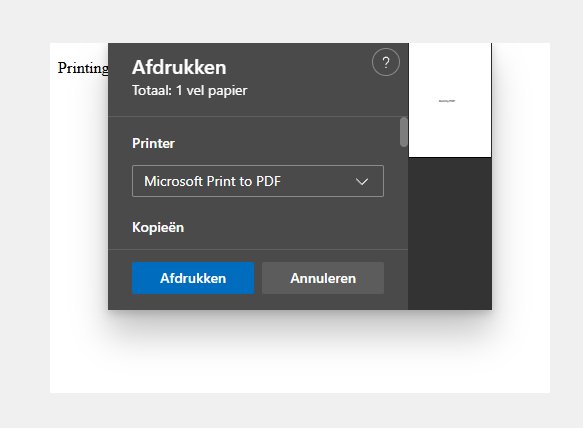
I've done a test with the following sample:
For a quick test:
python -m http.server 8080
on the folder where you saved the HTML file
test.html (1.4 KB)
Load the URL with
TMSFNCWebBrowser1.Navigate('http://localhost:8080/test.html');
Thank you but this is not my case. I can not have a server. That is the reason I use iframe and base64.
The following code I have arrived, prints any html file but not a pdf inside an iframe:
procedure TedgePDFviewer.PrintUsingNativeBrowser;
var
c: ICoreWebView2Controller;
w: ICoreWebView2;
w2: ICoreWebView2_16;
env: ICoreWebView2Environment;
env6: ICoreWebView2Environment6;
printSettings: ICoreWebView2PrintSettings;
printSettings2: ICoreWebView2PrintSettings2;
const PrinterName='Microsoft Print to PDF';
begin
c := ICoreWebView2Controller(webb.NativeBrowser);
if c.get_CoreWebView2(w) = S_OK then
begin
if w.QueryInterface(ICoreWebView2_16, w2) = S_OK then
begin
env := ICoreWebView2Environment(webb.NativeEnvironment);
if env.QueryInterface(ICoreWebView2Environment6, env6) = S_OK then
begin
// Create print settings
if env6.CreatePrintSettings(printSettings) = S_OK then
begin
// Query for PrintSettings2 to access printer name
if printSettings.QueryInterface(ICoreWebView2PrintSettings2, printSettings2) = S_OK then
begin
// Set printer name
printSettings2.set_PrinterName(PWideChar(PrinterName));// Optional: Set other settings printSettings2.set_Copies(1); printSettings.set_Orientation(COREWEBVIEW2_PRINT_ORIENTATION_PORTRAIT); // Print with custom settings w2.Print(printSettings, nil); end; end; end; end; end;
Where is the PDF coming from? Are you using the browser just to display the PDF? If the PDF is coming from your file system, can't you just print the PDF from the operating system you are loading the PDF from?
The pdf is coming from an http request, from a server I can not change anything and it is not saved in the filesystem. I need to have it only in memory and print it
You might need to download the printjs JavaScript and css and include it as a local file
I tried it. Id does not work. Anyway, I will try something except webview