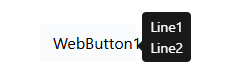
Is it possible to make hints appear on multiple lines?
For example, I have a TWebSpeedButton and in the Object Inspector I can set its Hint property using a Multi-Line String Editor:
If I view the form as text then it looks like this:
But when the hint is displayed it is only 1 line:
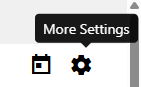
Is it possible to make the word "More" appear on a line above the word "Settings"?
Thanks!
The hints map on the HTML element TITLE attribute
Native title attribute (limited support)
The standard HTML title attribute does not officially support multiline text.
However, some browsers render line breaks if you use character references:
<button title="Line one
Line two
Line three">
  Hover me
</button>
or:
<button title="Line one
Line two
Line three">
Hover me
</button>
Notes
= line feed- Works in Chrome, Edge, Firefox
After some more experimentation I have discovered that
Hint = 'Line1'#10'Line2'
displays on 2 lines for a standard TMS WEB App, but the same hint displays on 1 line for a TMS WEB Bootstrap App.
This is the HTML created by the standard app:

And this is from a bootstrap app:

In both cases the hint has a line break in it as desired, but with bootstrap that seems to be ignored.
After some Googling I found a simple solution: just add this to the app css
.tooltip-inner {
    white-space: pre-wrap;
}