We are using TMS FNC UI Pack 6.8.1 together with TMS Web Core 2.9.5.1.
We wonder how we can determine the first visible column in a TTMSFNCPlanner component. We thought we could use property ViewCol for that, but this property is always 0, even if the horizontal scroll bar is moved completely to the right.
There is a property TMSFNCPlanner1.StartCol; for that.
Since StartCol is returned by GetViewCol, StartCol is also always 0, even if the horizontal scroll bar is moved completely to the right.
It's unclear why it doesn't work for you new instance of TTMSFNCPlanner on the form.
Positions.Count := 10;
PositionsAppearance.Stretch := False;
Timer
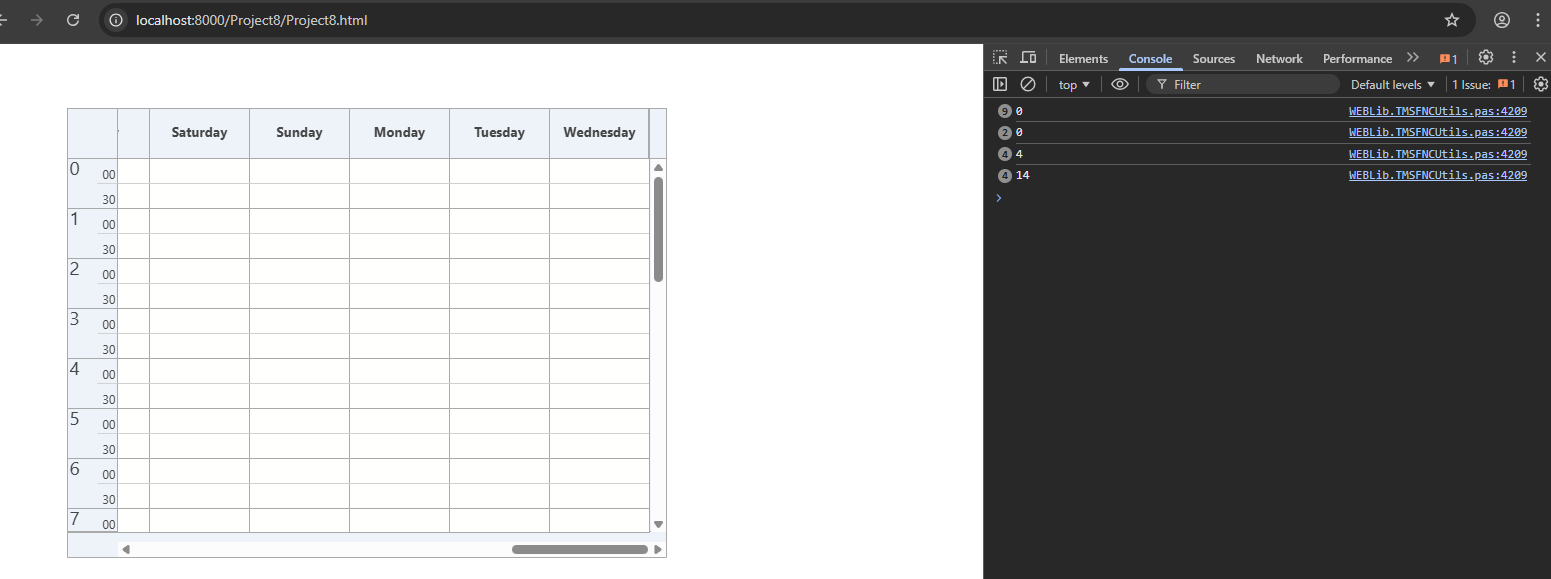
We have positions on the left and timeline axis on top...
Then you should use StartRow
Ok. Then, I use Planner.ViewRow. But, restoring (setting) Planner.ViewRow after updating planner doesn' t work. Planner.ViewRow is 0 and not the value I backed up and set.
I've tested this here and could set the ViewRow from a button click. When are you restoring the ViewRow?
After Planner.EndUpdate.
Used this code, and this is working as expected. Can you share a sample code snippet which reproduces the issue?
procedure TForm6.FormCreate(Sender: TObject);
begin
  TMSFNCPlanner1.BeginUpdate;
  TMSFNCPlanner1.InitSample;
  TMSFNCPlanner1.EndUpdate;
  TMSFNCPlanner1.ViewRow := 4;
end;
I used the same code as you, TMSFNCPlanner1.Orienttation is set to pomHorizontal and it doesn't work. ViewRow is 0. Debugging showed, that setting ViewRow actually sets the position of the vertical scrollbar, but it should actually set the position of the horizontal scroll bar with orientation pomHorizontal, shouldn't it?
We have meanwhile discovered a bug in TScrollbar and are working towards fixing it in a TMS Web Core update
We have tested it with TMS Web Core 2.9.6 (which includes the mentioned TScollbar fix), but the issue with setting ViewRow remained. Meanwhile, we switched to another solution and do now backup/restore Planner.HorizontalScrollBar.Position.