Haupt.dfm (12.2 KB)
Haupt.pas (2.5 KB)
Hello,
I have encountered a weird display problem while using the TDBPlannerMonthView.
It is a bit difficult to describe and reproduce, which is why I have attached a unit that will showcase the problem:
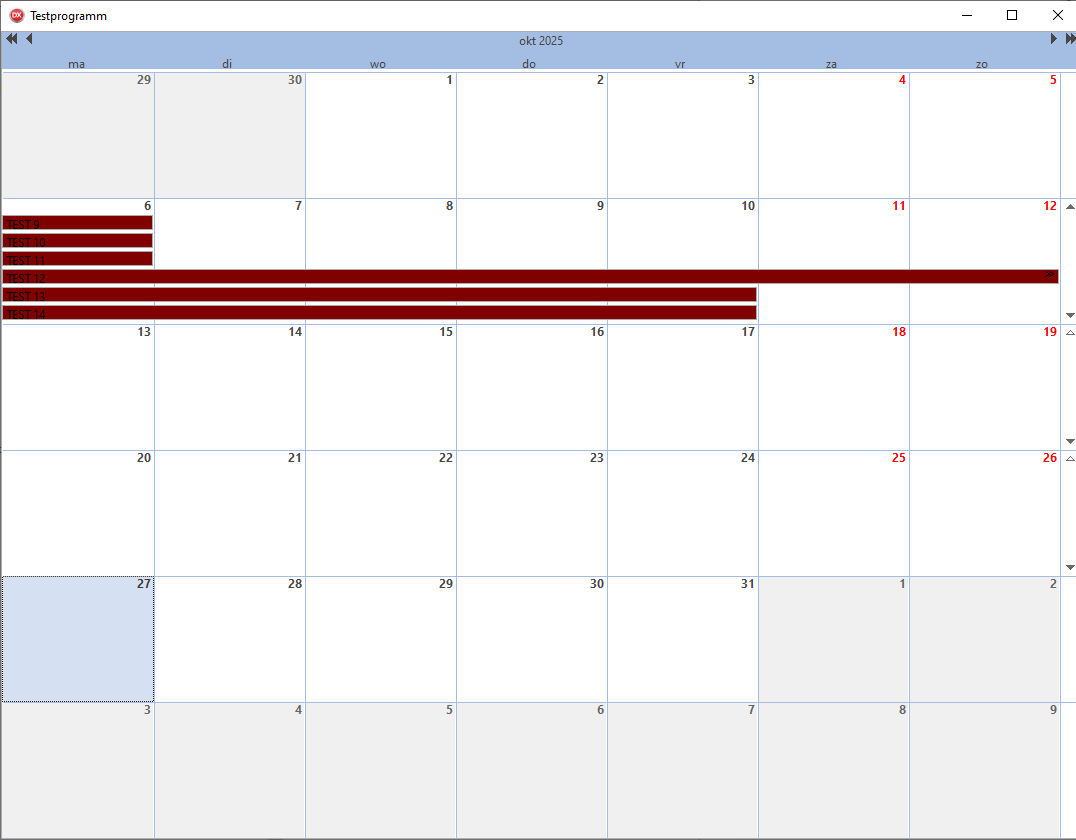
It seems that with certain combinations of multi-day- and single-day-items the display is wrongly calculated and shown in such a fashion that you have to scroll down to find the items, although there is nothing but empty space above them, which makes the planner look empty, although it isn't.
It is very obvious in the provided units: When compiled as they are the third row (13. - 19.) will be displayed empty, but when you scroll down in that row, you will find the items.
When certain parts in the source code are removed (see comments) those items will be correctly displayed and are immediately visible without having to scroll.