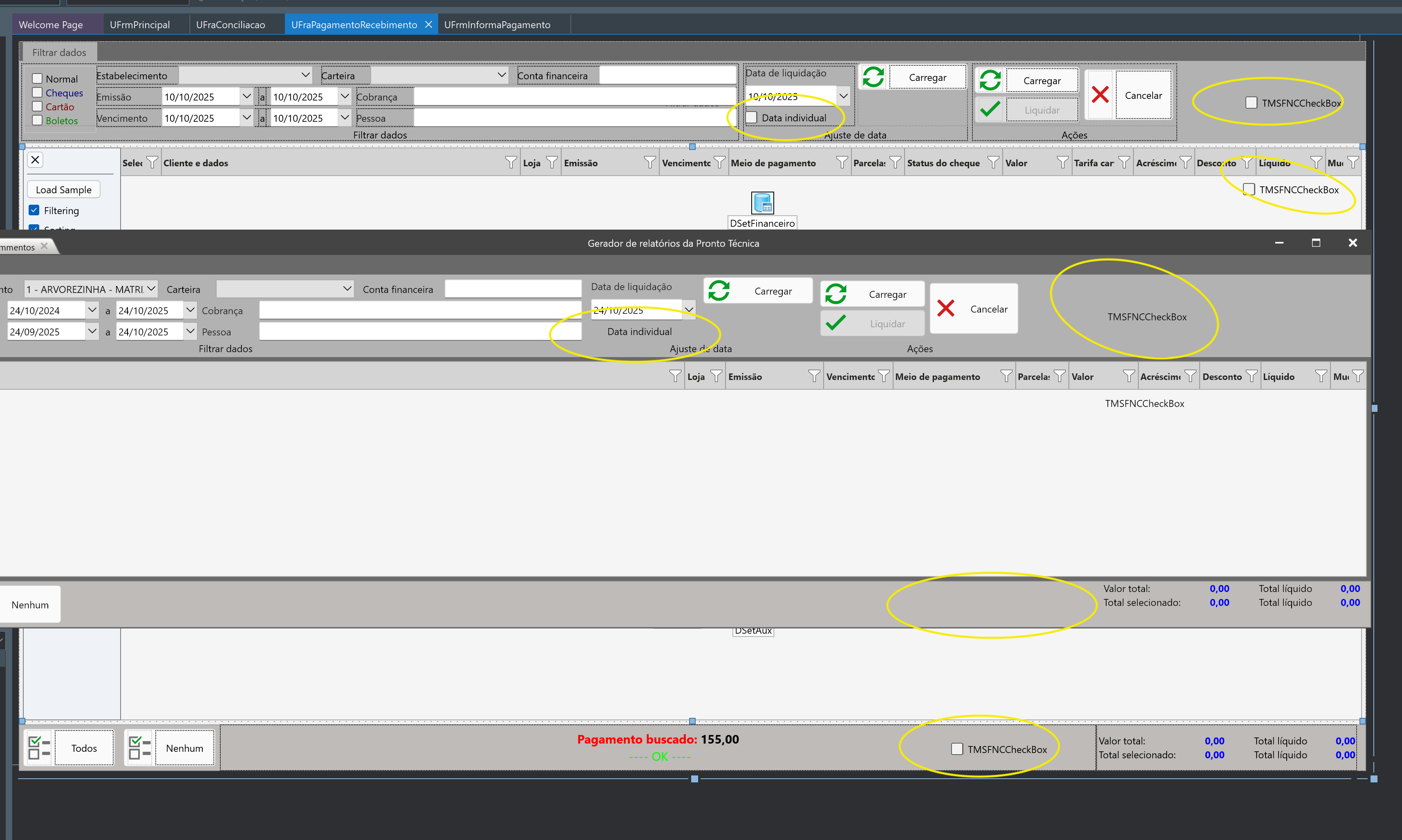
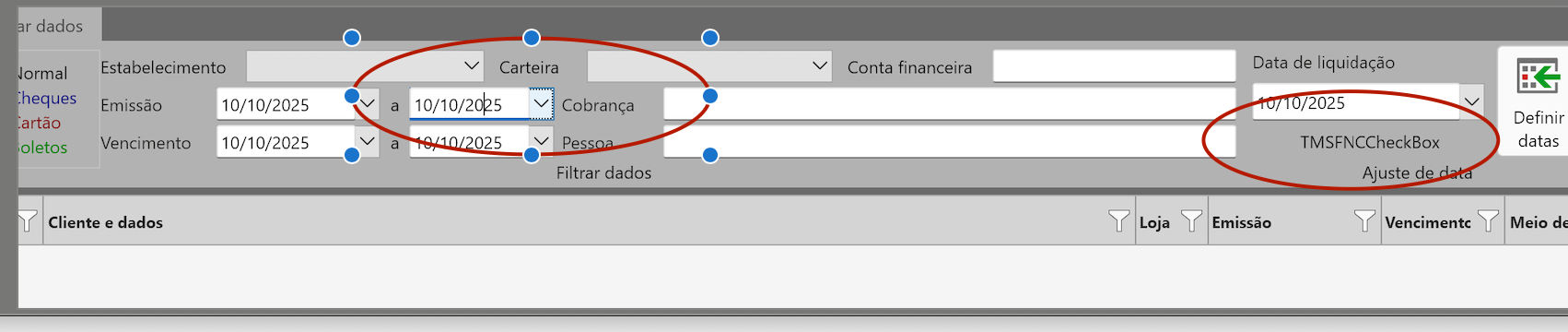
as you can see in the image, I took a screenshot from the form and it's design form under.. in the design time, the checkbox and text is correctly drawn.. but in runtime something happens that it disappear..
the structure is create as
Form
->Frame
---> FNC Data Grid (one checkbox) -- didn't draw the box but text ok..
---> FNC Panel (one checkbox) -- draw nothing
---> FNC page control
------> FNC Html text
--------> Layout
----------->Layout (one checkbox) -- didn't draw the box but text ok..
I tried to made a sample but it didn't happened. May you give some suggestions?
We have meanwhile investigated this here in VCL & FMX with a TFrame and couldn't reproduce this issue. Also, when the ActiveControl property is set the focus is set to the correct control. I would be helpful if you could isolate this, or perhaps send a part of your application (without code).
I Still didn't find what is happening to do that.. but. i found one thing that solved..
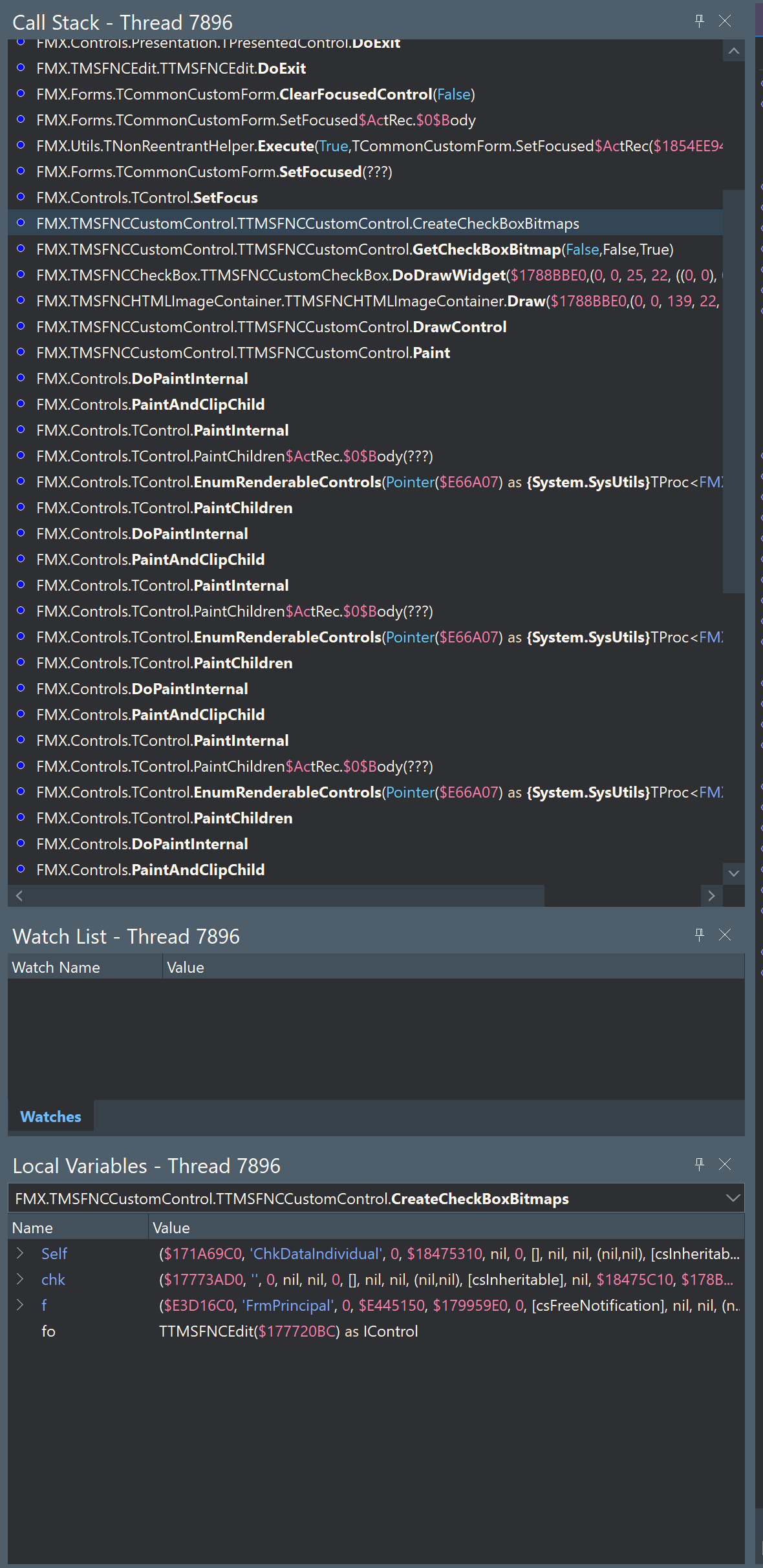
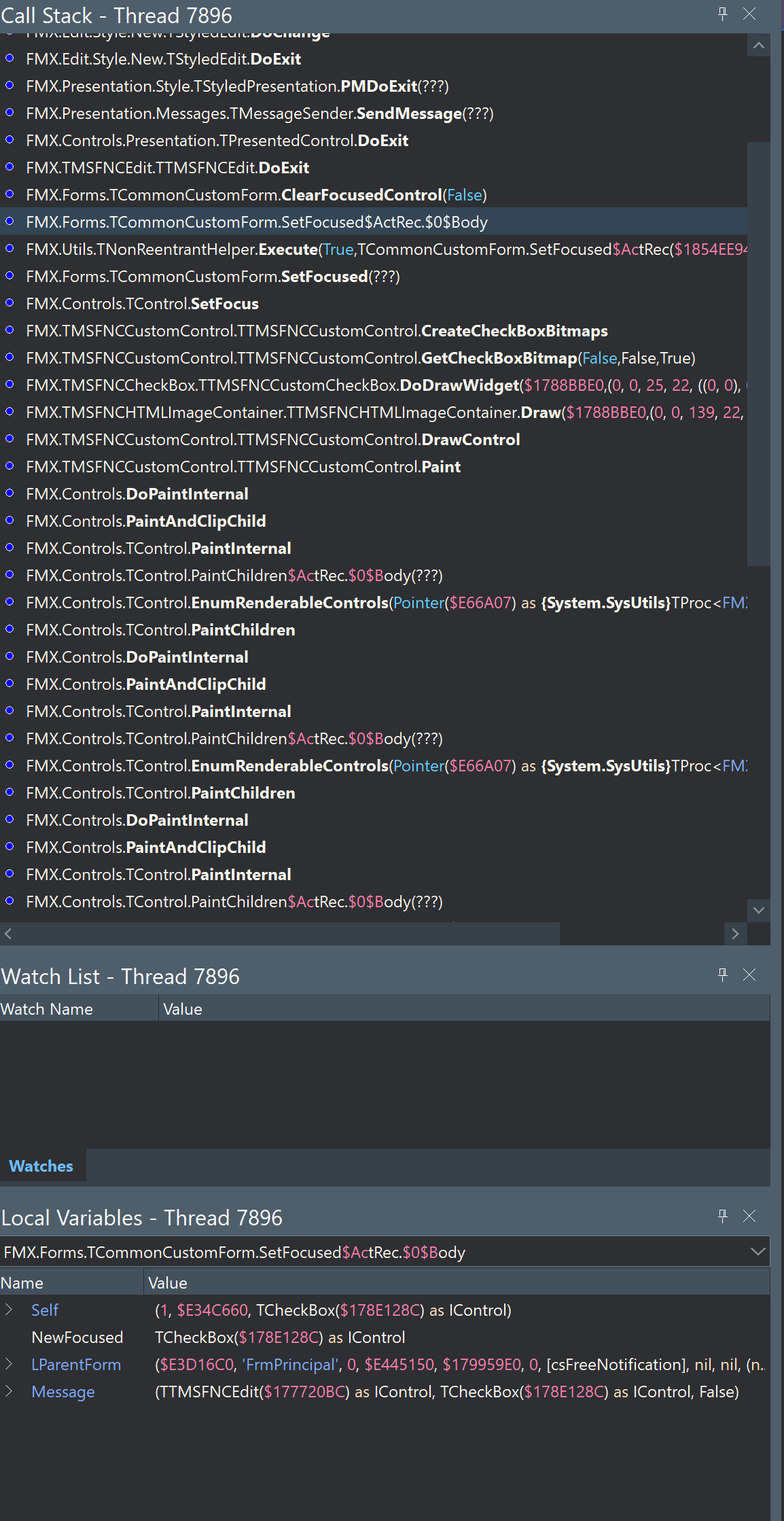
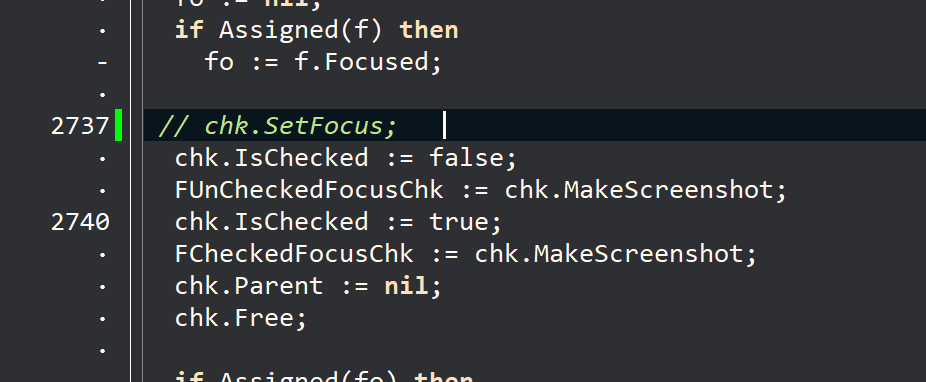
i commented the SetFocus from TTMSFNCCustomControl.CreateCheckBoxBitmaps; and it solved both problems, image draw and trying to take focus..
but as it is in source code, it would be necessary that you approve that for all platforms
I also will try to make a copy for the project, only removing unnecessary forms to send you
I also tried with FNC Switch. but It also have an strange behavior. After setted to true, and turned back to false, the image continues the same.. You can reproduce that only dropping a FNC Switch at same place of the CheckBox