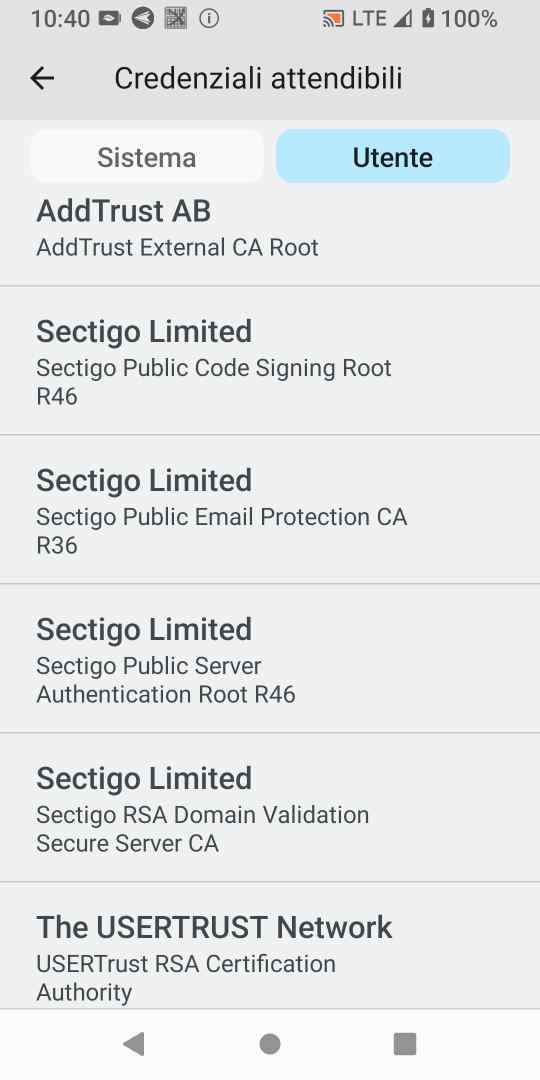
Hello,
I have an FMX RemoteDB App working fine via https,
but after user renewed the server certificate, the same Apk do not connect, with error:
https://myserver.com/tms/, #class:EJNIException #msg:javax.net.ssl.SSLHandshakeException:
java.security.cert.CertPathValidatorException: Trust anchor for certification path not found.
I was thinking to an Android problem in trusting certificates, but
my Apk use also secure websocket connection (wss Esegece - Indy) on same server other port, and keep connecting well after the certificate renewal...
Also a RemoteDB VCL application accessing the same server url, connect fine as usual...
May be something to configure different on fmx RemoteDB ?
It still looks like a bad certificate, or a too new certificate that an old Android device doesn't support.
The fact that other apps keep connecting doesn't mean much - it might be a different Android app with different manifest, or it might be that simply the client ignores some issues with the server certificate. RemoteDB users the underlying native HTTPS classes to connect to the server.
Here is a topic from Stack Overflow that has literally dozens of solutions and ways to check for the problem:
Thak you Wagner,
most probably a too new certificate that Android 13 doesn't support....
I have read that if the Devece do not have onboard the full chain of certificate
(Root and intermediate) and the Server do not supply the complete chain, this can raise the problem...
Some says to force server to give at client the full chain, and other to load on device or App these root certificates...
Hi Wagner,
I have no control over server side that refuse to modify the certificate to include the full chain...
Could you help me to include the certificate files in the delphi App ?
or is it possible make RemoteDB bypass the Certificates on Android as can be done with Sparkle on Windows ?
Sorry to bother you, but I am really in troubles with the App offline...
Have you tried one of the many proposed solutions in the link I provided to you?
I think you can do that at the Android device level, or the apk level, by adding the trust of chain of the certificate somehow.
Is it possible an override in OnSendingRequest event
function THttpClient.Send(Request: THttpRequest): THttpResponse;
begin
  if Assigned(FOnSendingRequest) then
    FOnSendingRequest(Request);
  if Request.AsUri.Scheme = 'local' then
    Result := FInProcEngine.Send(Request)
  else
    Result := FEngine.Send(Request);
  if Assigned(FOnResponseReceived) then
    DoResponseReceived(Request, Result);
end;
as in the example you provided for the bypass in Windows ?