Hi
Map not add marker - why?
TMSchild.zip (167.4 KB)
Step by step
1 - add api key Here and Google
2 - Click NORMAL
3 - Click on map - Add marker - OK
4 - Click "Child <> Dialog"
- map visible ok or bed - this is random
5 - When map is visible i'm click on map - not add marker - why???
This is ctitical !!!!!
Hi,
This sample project focuses on isolating the functionality of switching between child forms and dialogs, and it is working as expected when adding markers.
I recommend simplifying your non-working sample by gradually removing functionality until it starts functioning correctly. Alternatively, you can begin with the working minimal project and incrementally add features until it stops working.
This approach will help to pinpoint the exact part of the functionality that is causing the issue.
TMSFNCMapsChildForm.zip (8.5 KB)
I do not agree with your response. There are 3–4 steps required to reproduce the issue. As I understand it, this appears to be too complicated for you, and if that’s the case, I wonder on what basis you are selling components over which you have no control.
Hiding one map and switching the display mode of the window causes incorrect behavior. Should I point out exactly where the error lies in your components? I don’t have time for that—no one is paying me to test your solutions. Please fix the issue.
Here is your sample code executed both from the Delphi environment and from the compiled EXE. In both cases, it took me less than 30 seconds to reproduce a situation where the map component becomes completely EMPTY.
Please review the attached video recordings.
video fun from exe
video run from delphi
This is yet another occurrence of the same issue. It is absolutely impossible to work like this.
Can someone finally make these components function properly? If you are unable to fix this, then at least be honest and admit it.
I am selling this application to clients, and with the way it currently behaves, I will soon be forced to pay compensation for a non-working product.
To resolve the issues, please update your code as indicated below:
procedure TForm2.RadioGroupMapClick(Sender: TObject);
begin
  if RadioGroupMap.ItemIndex = 1 then
    begin
      fMapObject := WebMap;
      Leaflet.Visible := false;
      Leaflet.Align := alNone;
      WebMap.Visible := true;
      WebMap.Align := alClient;
      WebMap.ClearCache; //added
      WebMap.ReInitialize; //added
      InsertBtnClick(nil);
      InsertPolylineBtnClick(nil);
    end;
  if RadioGroupMap.ItemIndex = 0 then
    begin
      fMapObject := Leaflet;
      WebMap.Visible := false;
      WebMap.Align := alNone;
      Leaflet.Visible := true;
      Leaflet.Align := alClient;
      Leaflet.ClearCache; //added
      Leaflet.ReInitialize; //added
      Button2Click(nil);
      InsertBtnClick(nil);
      InsertPolylineBtnClick(nil);
    end;
end;
I will review your suggestions; however, they do not address the errors present in the example you provided, which I demonstrated in my previous response.
Please provide an URGENT clarification on how to resolve the issue shown in the video files previously shared via the attached links.
The proposed ClearCache and ReInitialize approach is not an acceptable solution.
The TileLayer download services from HERE are paid, and repeatedly fetching the same data unnecessarily increases costs. - This solution does not work. It is still not possible to add markers. Please resolve the issue in a way that does not require clearing the map data.
We’ve taken a closer look at this issue and have already applied a fix in the underlying webview technology. This will be included in the next TMS FNC Core update. Our first goal was to provide a quick workaround to help you stay productive, while our developers have been working behind the scenes on a lasting solution.
We really appreciate your patience and understanding, and we kindly ask that we keep our discussions positive and respectful. If you’d like to receive an incremental source update before the next release, just let us know — we’ll be happy to provide it.
I have reported the malfunctioning components multiple times already. It seems that only when the issues are strongly emphasized do they receive any attention from your side.
Failing to address the core of the reported problems has unfortunately become your standard response. A respectful conversation requires at least a comparable level of engagement from both sides. So far, I have been very patient, which apparently gave you no incentive to properly investigate the issue. I must admit that I’m tired of constantly having to point out the shortcomings.
If you have a fix available, I’m willing to test it. If not, then please provide a clear release date for the next version of the components.
I completely understand the frustration, rest assured, we are all working together to make a great component set allowing you to make a great application. We’ll make sure to release this asap. If anything comes up, let me know.
Please provide the release date of the corrected version of the components. I need to postpone the release of the program version and inform the customers when they will receive the fix.
Today
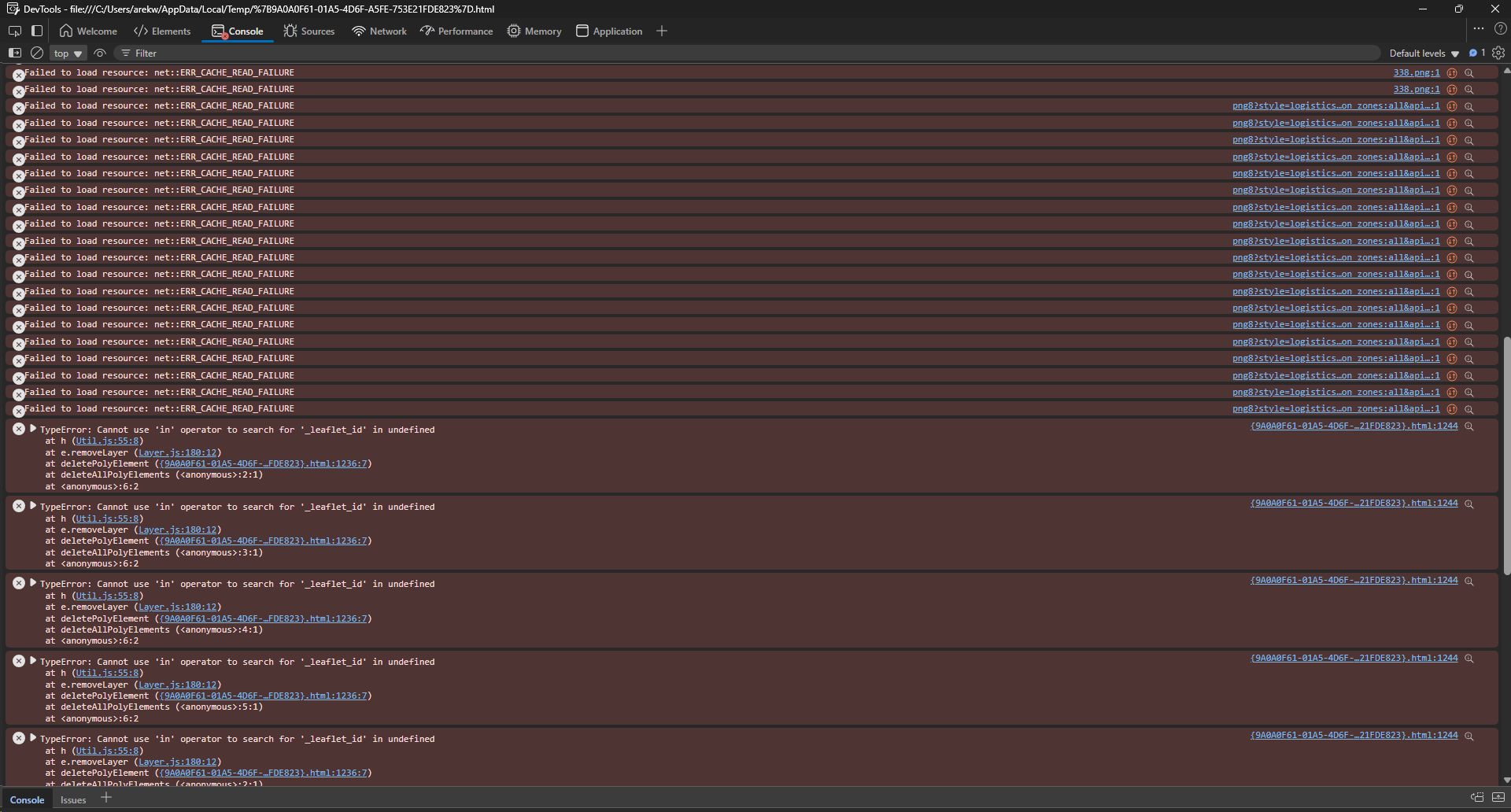
Thank you for the fix. After some brief testing, it looks like the issue has been resolved. I hope I can continue to count on quick fixes for any potential issues in the future.
Thanks again!
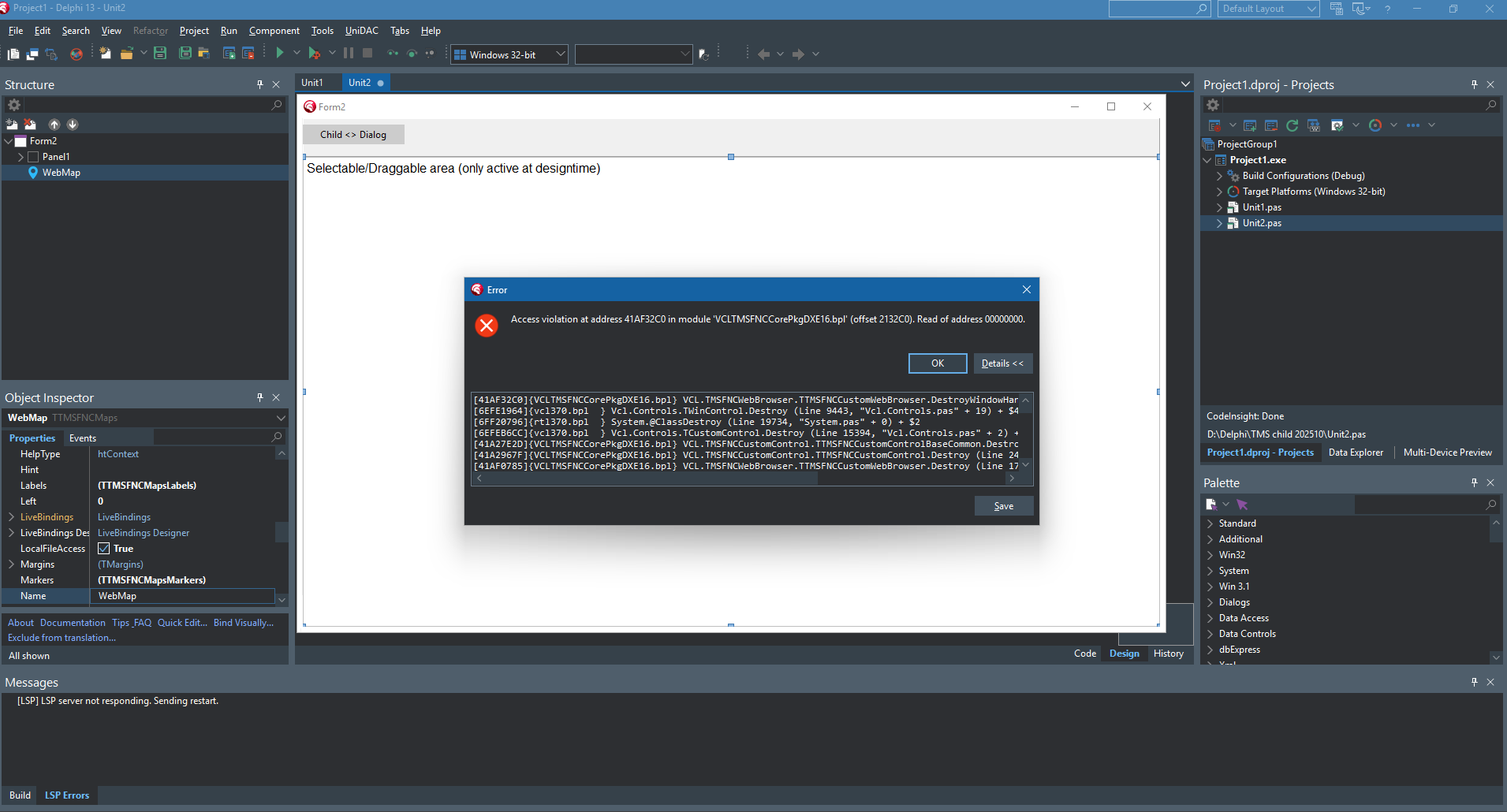
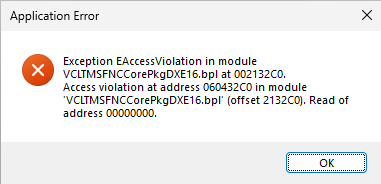
We applied an additional fix for this. you can fix this manually by adding an assignment check here:
procedure TTMSFNCCustomWebBrowser.DestroyWindowHandle;
begin
  if Assigned(FWebBrowser) and not IsDestroying then
    FWebBrowser.BeforeChangeParent;
  FBlockDeinitialize := True;
  inherited;
end;
I’ll wait for the patch to be released — please let me know once it’s ready.
I confirm that the provided solution works — please include it in the installation version and let me know once it’s released.