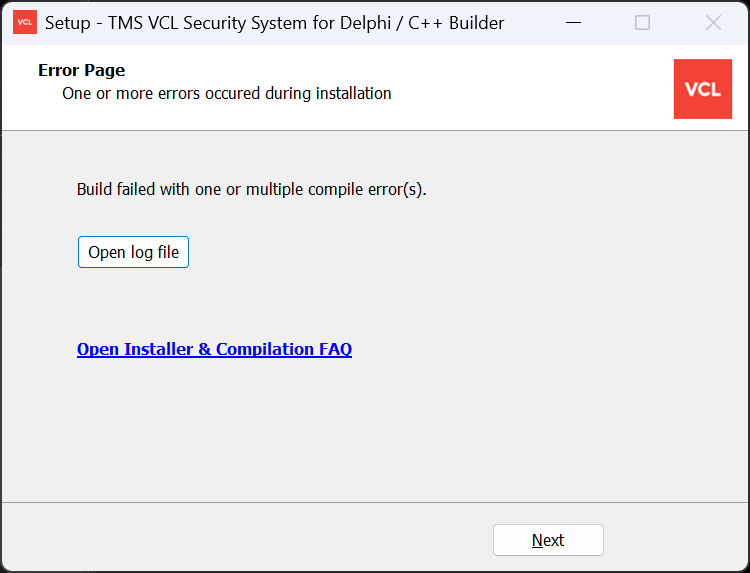
I am a TMS ALL-ACCESS user.
Today I tried to install TMS VCL Security System_4.2.3.0:
- First try: Failed with this error message in the log: C:\Program Files (x86)\Embarcadero\Studio\23.0\Bin\CodeGear.Delphi.Targets(425,5): error MSB6003: The specified task executable "dcc" could not be run. The filename or extension is too long [C:\Users\peter\AppData\Local\tmssoftware\registered\TMS VCL Security System\TMSVCLSecuritySystemPkgCoreDXE15.dproj]
Done executing task "DCC" -- FAILED. (TaskId:50)
Done building target "_PasCoreCompile" in project "TMSVCLSecuritySystemPkgCoreDXE15.dproj" -- FAILED.: (TargetId:41)
Done Building Project "C:\Users\peter\AppData\Local\tmssoftware\registered\TMS VCL Security System\TMSVCLSecuritySystemPkgCoreDXE15.dproj" (Build target(s)) -- FAILED.
How can an installation fail because of an installation path that the installer itself created?
- Second try: This time, I used a shorter installation path: C:\COMP\TMS\TMS VCL Security System
But again, the installation failed, this time with this error message: C:\Program Files (x86)\Embarcadero\Studio\23.0\Bin\CodeGear.Delphi.Targets(425,5): warning MSB6002: The command-line for the "DCC" task is too long. Command-lines longer than 32000 characters are likely to fail. Try reducing the length of the command-line by breaking down the call to "DCC" into multiple calls with fewer parameters per call. [C:\Users\peter\AppData\Local\tmssoftware\registered\TMS VCL Security System\TMSVCLSecuritySystemPkgCoreDXE15.dproj]
C:\Program Files (x86)\Embarcadero\Studio\23.0\Bin\CodeGear.Delphi.Targets(425,5): error MSB6003: The specified task executable "dcc" could not be run. The filename or extension is too long [C:\Users\peter\AppData\Local\tmssoftware\registered\TMS VCL Security System\TMSVCLSecuritySystemPkgCoreDXE15.dproj]
Done executing task "DCC" -- FAILED. (TaskId:50)
Why is it so difficult to install TMS products? And why is it so EASY to install Delphi components from other vendors?