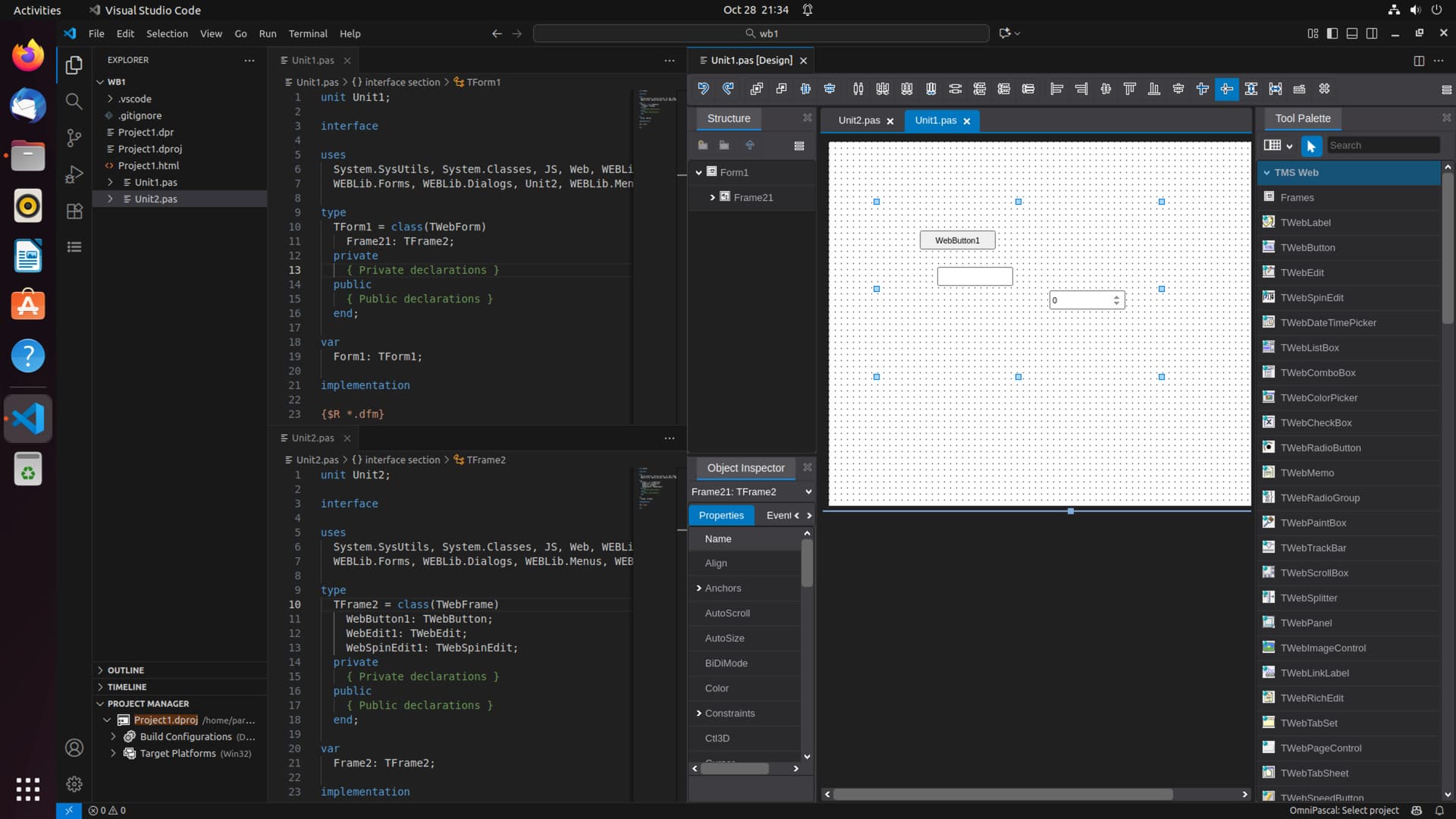
Hi, how do I create a new Frame and how can I use that with WebCore VSC?
I can't see an item for Frames in the list of new things to add (where TMS WEB Application, TMS WEB Form, TMS Unit, etc. are listed). Also in the Tool Palette I can't find a TWebFrame.
Hi, there are two items pending on the VSC plugin to match RAD Studio Form Designer. Visual Form Inheritance and TFrame support, they are in the roadmap and should be implemented in the following months. Regards.
Good to know about this current limitation beforehand, because then I can bury any further migration plans for our production Web Core app that we currently develop on Delphi. We use extensive frames and not having them in VSC is a show stopper for the migration for the time being.
Is it possible now? I just tried on VSC under Linux: I can create and edit frames, but I can't insert them into my Forms.
It should work, will review and let you know. Thanks!
If it helps: when I double-click "Frames" in the palette, the frames are listed in the search bar at the top, but nothing happens when I select one of the items.
Hi Jose.
Is it working on your side ?
Thanks for your help.
Hello,
I was able to reproduce the issue, and it's working properly on Windows and macOS, only issue is on Linux and apparently it's an issue with OmniPascal, when fetching the uses clause for a unit. At this point I think it has something to do with the casing of the files, as Linux is the only OS of the three we support that is actually case-sensitive for file names (macOS looks it is but it's not). Going to keep investigating to provide a fix ASAP.
Regards
Thanks a lot for the update, Jose.