Dear Support Team,
I have a problem with vertical scrolling and synchronizing tasks and the timeline when not all open nodes fit on the screen.
Example: I create four tasks, each with three subtasks:
procedure Example;
var
  i: Integer;
  t: TTMSFNCGanttTask;
begin
  TMSFNCGanttChart1.Project.BeginUpdate;
  try
    TMSFNCGanttChart1.Project.ClearTasks;

    for i := 1 to 4 do
    begin
      t := TMSFNCGanttChart1.Project.AddTask(
        'Node ' + i.ToString);
      t.AddSubTask(
        '1st sub task for ' + i.ToString, '', EncodeDate(2025, 11, 17), 5,
        gdtWorkDays, whWorkDaysOnly);
      t.AddSubTask(
        '2nd sub task for ' + i.ToString, '', EncodeDate(2025, 11, 19), 7,
        gdtWorkDays, whWorkDaysOnly);
      t.AddSubTask(
        '3rd sub task for ' + i.ToString, '', EncodeDate(2025, 11, 18), 4,
        gdtWorkDays, whWorkDaysOnly);
    end; //for i
  finally
    TMSFNCGanttChart1.Project.EndUpdate;
  end;
end;
At the beginning, all nodes are open. As long as the component does not have to scroll vertically, everything works fine. I can close and open the nodes as I wish, and the tasks and timeline synchronize perfectly.
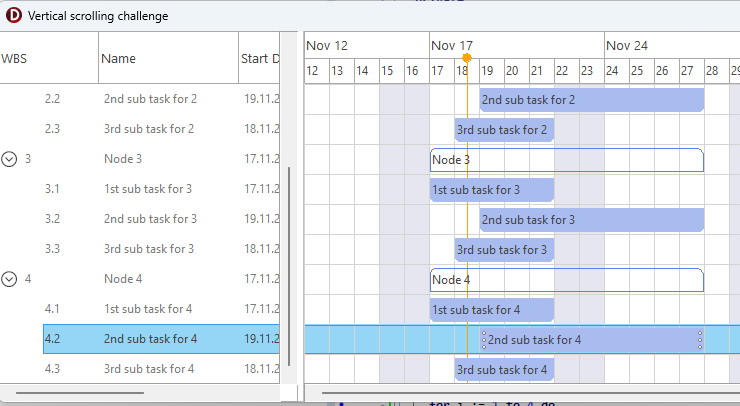
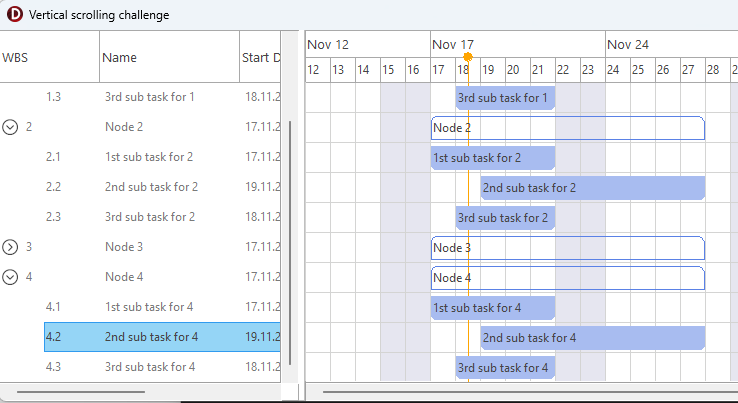
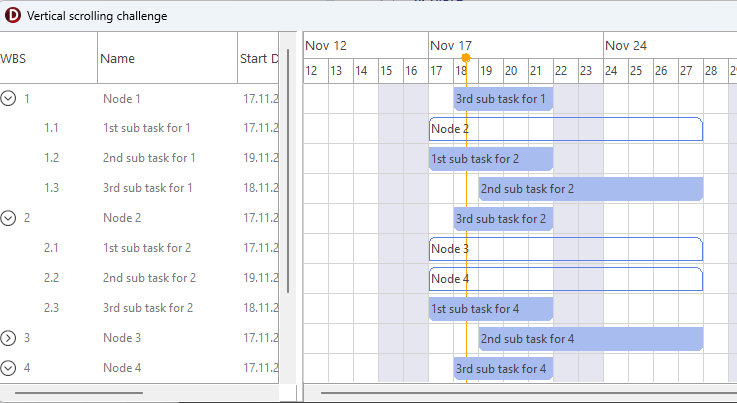
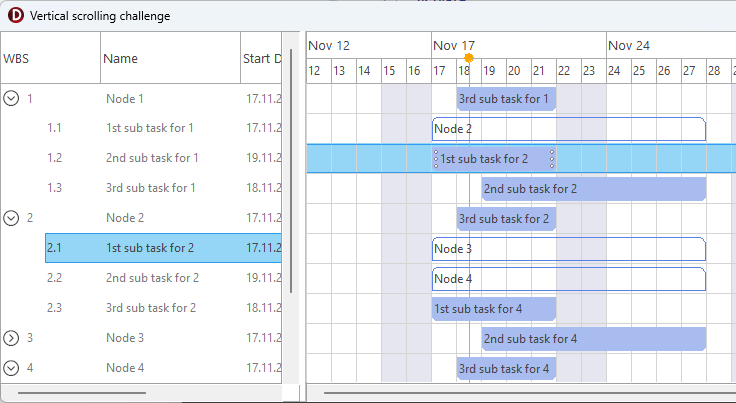
BUT: If I change the height of the component (e.g. by resizing form) so that the vertical scroll bar appears, things get mixed up. (Please see screenshots for a better understanding.)
For example, if I click on entry 4.2, then close entry 3 and try to scroll up, synchronization is no longer correct or even temporarily blocked. Sometimes I cannot scroll back down to the bottom. The error usually occurs even faster when the horizontal scroll bar only appears in the timeline but not in the task list. Left and right sides mixed up. The only remedy, if any, is to close all nodes and reopen them. Is there a way to force synchronization here?
Thank you in advance for any help.