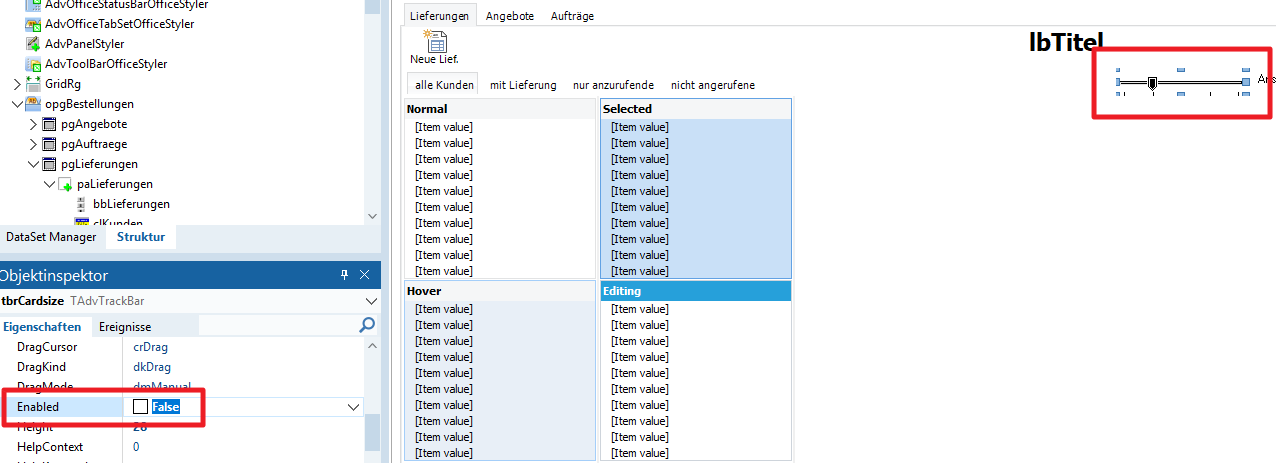
Is it possible that the colors in TAdvTrackBar for Enabled True/False are incorrectly assigned?
Enabled = True
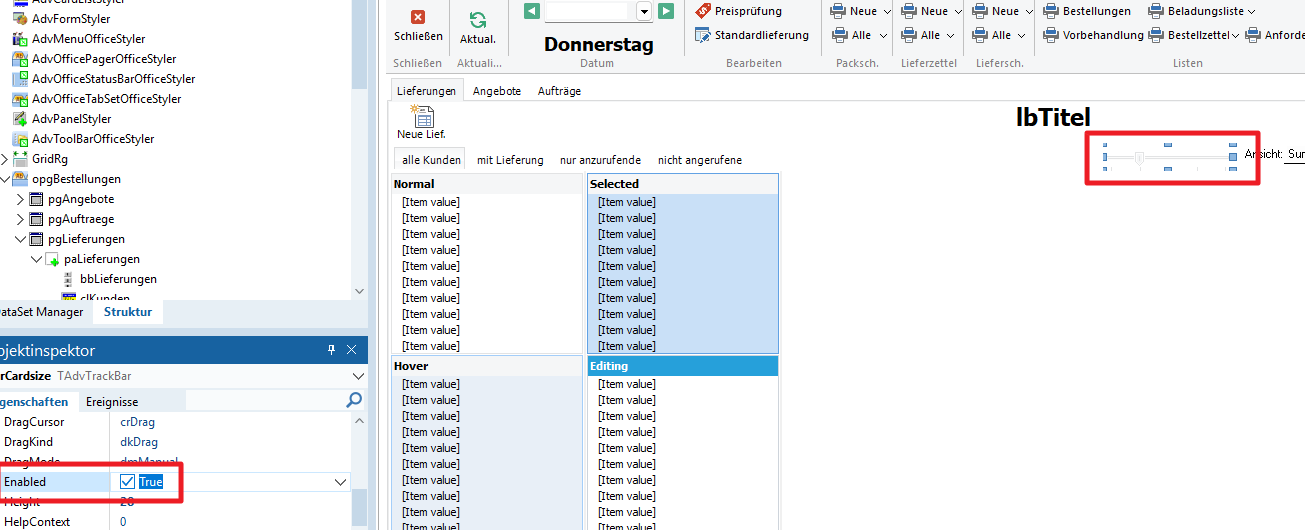
Enabled = False
If you refer to ColorDisabled / ColorDisabledTo, make sure to set Transparent = false, as otherwise, the control has a transparent background, regardless of Enabled = true/false or ColorDisabled / ColorDisabledTo.
I created a new project and added only four TAdvTrackbars. I played around with Transparent and Enabled to test it.
Project1.dpr (234 Bytes)
Project1.dproj (61.3 KB)
Unit1.pas (606 Bytes)
DFM file is missing.
If you send a test project, put all needed files in a ZIP file attachment.
For your examples with Transparent = false, you have
AdvTrackBar.Color, AdvTrackBar.ColorDisabled, AdvTrackBar.ColorTo, AdvTrackBar.ColorDisabledTo all set to clNone.
If you want a different background color for a disabled & enabled TAdvTrackBar, use the properties AdvTrackBar.Color, AdvTrackBar.ColorDisabled, AdvTrackBar.ColorTo, AdvTrackBar.ColorDisabledTo
These are the default colors. I haven't changed anything except Transparent and Enabled.
Default the control is transparent. Use these color properties to set any color you want when you do not want it to be transparent.