TTMSFNCChat - Images and Emoji's and text wrapping?

Not sure why i didn't think of that. Since I already populated MEMO with text for one part I do... I guess i did that weeks ago, and totally forgot it was exposed.. sigh...

I think just remember this, is maybe enough, and no memo events need added.

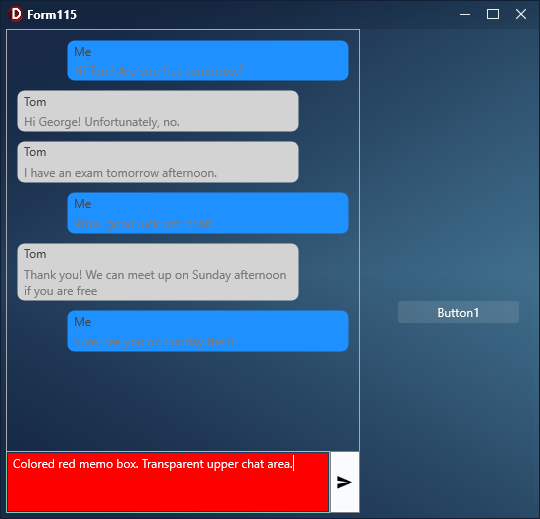
I kinda got the color working.
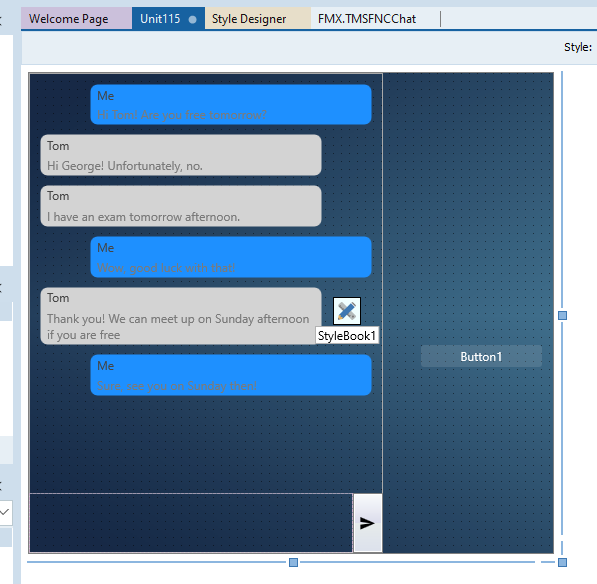
I edited the style for TMemo. ( I hate stylebook FYI )
Added a rectangle to be a backgroundbox , default fill is null.
Then I as able to color that.

But... not 100% sure this is proper way.

I tried to use the FNC Chat events "onApplyStyleLookup" but it just does not trigger.
BUT
Work around was to assign the event manually.

I got to play more later as its 3am. As I am sure there is some "gotcha" going on here...

This is valid way to do it.

We don't root all events, only the most commonly used ones. That is why OnApplyStyleLookup is not triggering for the TMemo at TTMSFNCChat level. We can look to hook them up if that makes it easier to use.

Applied another improvement to this as we detected an issue with the previous implementation.

Scrolling issues are still under investigation. So far we could only reproduce the initial ScrollToBottom problem (the one where the sample was provided), but we cannot reproduce the second report. What steps are you taking when you encounter that behavior?

We talking about the issue of scrolling the chat up and out of the way for the virtual keyboard?
If so, i haven't gotten back to that yet. To manually set the onEnter/OnExit events of the Chat memo box.

The OnApplyStyleLookup not reaaaally needed. I have it working with out it.
It just seemed odd that it didn't trigger is all. Not 100% sure of the proper etiquette of such things on when events are visiable but not used. As nothing really tells you this.

About the scrolling to the bottom. Do you encounter this only when adding initial items or during writing something via the message box too? If you encounter this via the message box, please let us know how to reproduce.

Video 1 @ Form117 - Gyazo
Video 2 @ Form117 - Gyazo

I think most of this is wrapping ones head around how the chat interactions work?
When and went not to scroll the text... how far... what part of the block of text is visible.. you would see the top of the text to start reading if its a large blurb of text...

Then do you auto scroll to the bottom when trying to read... it would jump to the new text.. so you gotta scroll backup to read again.. and if someone sends message again, it scrolls to the bottom....

Example being, i was talking to someone on facebook messanger.
I scrolled up a few messages to read some older messages.
He was messaging me, but my view point did not change. I was still on the old messages I was reading.

Finally I scrolled to the very bottom to see the new messages he sent... and now that I was at the very bottom of the chat history basically, every new incoming message he sent, auto scrolled the text.

So maybe i am missing something, not understanding something, or there needs to be a bit more smarts to when to auto scroll and not auto scroll?

Its worse when URLs are in there and multiple URLs in one message, but we know that already....

chatDemo.zip (10.0 KB)

Thank you for the sample, we'll investigate these.

One thing worth mentioning is if you are using TTMSFNCChat.AddMessage, it will scroll to the bottom automatically. If you want to prevent scrolling to the bottom when adding new messages on the fly, you'll need to add the new messages directly to the ChatMessages collection.

procedure TForm117.AddMessage(Right: Boolean; JID: String; Msg: String; TimeStamp: TDateTime);
var
  Item: TTMSFNCChatItem;
  user: string;
  dir: TTMSFNCChatMessageLocation;
begin
  Chat.BeginUpdate;
  Item := Chat.ChatMessages.Add;
  {...}
end;

Thanks I will check that out.

I use currently

Item := Chat.AddMessage(.....

Also... I finally got back to the original topic! Emotes!

I finally got this working but maybe found a new bug.

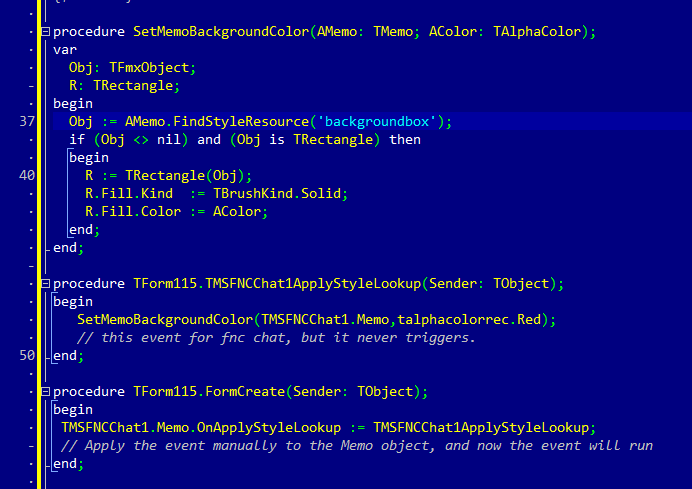
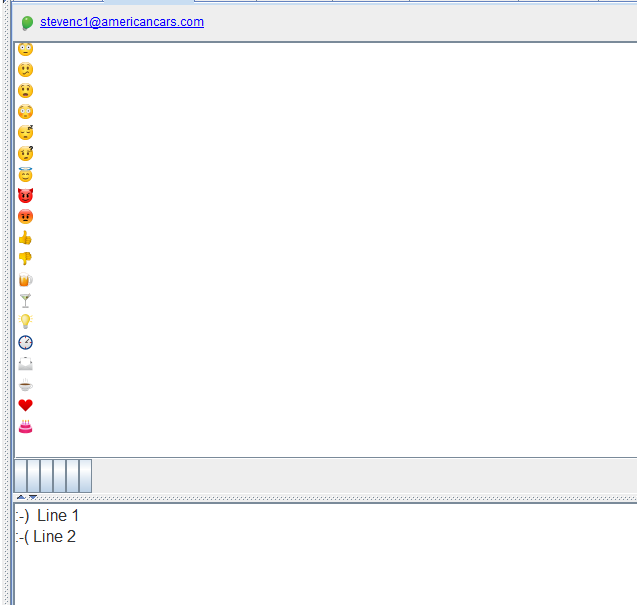
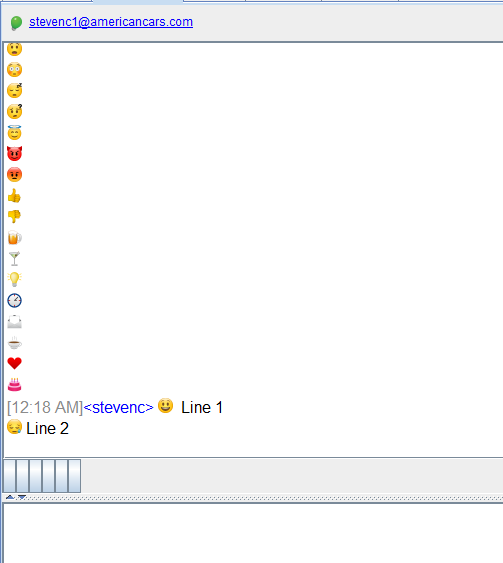
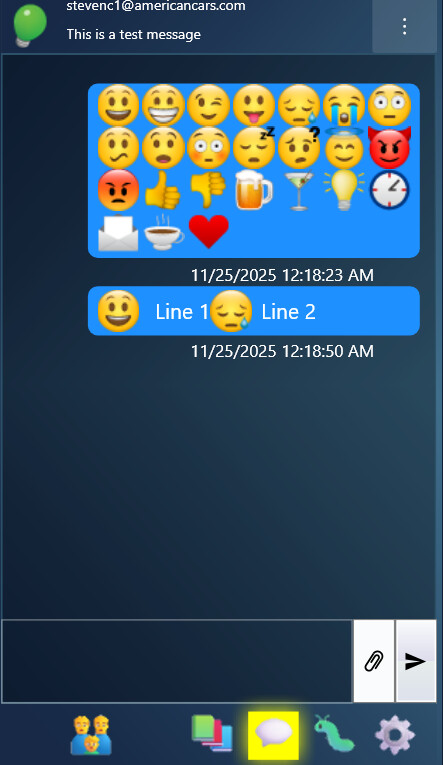
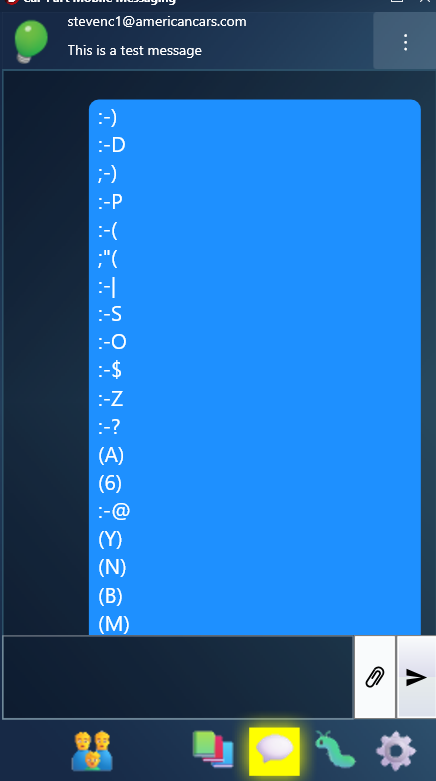
As can see, it seems to be eating the line breaks when the images are used.

If i remove my code to convert the emote text to images, line breaks look good.

procedure TformMain.chatBeforeSendMessage(Sender: TObject; var AText: string; var AAllow: Boolean);
begin
    AText := StringReplace(AText, ':-)' , '<img src="happy"/>', [rfReplaceAll]);
    AText := StringReplace(AText, ':-D' , '<img src="excited"/>', [rfReplaceAll]);
    AText := StringReplace(AText, ';-)' , '<img src="wink"/>', [rfReplaceAll]);
    AText := StringReplace(AText, ':-P' , '<img src="tongue"/>', [rfReplaceAll]);
    AText := StringReplace(AText, ':-(' , '<img src="sad"/>', [rfReplaceAll]);
    AText := StringReplace(AText, ';"(' , '<img src="cry"/>', [rfReplaceAll]);
    AText := StringReplace(AText, ':-|' , '<img src="scepticism"/>', [rfReplaceAll]);
    AText := StringReplace(AText, ':-S' , '<img src="worry"/>', [rfReplaceAll]);
    AText := StringReplace(AText, ':-O' , '<img src="oface"/>', [rfReplaceAll]);
    AText := StringReplace(AText, ':-$' , '<img src="embarassed"/>', [rfReplaceAll]);
    AText := StringReplace(AText, ':-Z' , '<img src="sleep"/>', [rfReplaceAll]);
    AText := StringReplace(AText, ':-?' , '<img src="what"/>', [rfReplaceAll]);
    AText := StringReplace(AText, '(A)' , '<img src="angel"/>', [rfReplaceAll]);
    AText := StringReplace(AText, '(6)' , '<img src="devil"/>', [rfReplaceAll]);
    AText := StringReplace(AText, ':-@' , '<img src="mad"/>', [rfReplaceAll]);
    AText := StringReplace(AText, '(Y)' , '<img src="thumbsup"/>', [rfReplaceAll]);
    AText := StringReplace(AText, '(N)' , '<img src="thumbsdown"/>', [rfReplaceAll]);
    AText := StringReplace(AText, '(B)' , '<img src="beer"/>', [rfReplaceAll]);
    AText := StringReplace(AText, '(M)' , '<img src="martinie"/>', [rfReplaceAll]);
    AText := StringReplace(AText, '(I)' , '<img src="lightbulb"/>', [rfReplaceAll]);
    AText := StringReplace(AText, '(O)' , '<img src="clock"/>', [rfReplaceAll]);
    AText := StringReplace(AText, '(E)' , '<img src="email"/>', [rfReplaceAll]);
    AText := StringReplace(AText, '(C)' , '<img src="coffee"/>', [rfReplaceAll]);
    AText := StringReplace(AText, '<3' , '<img src="heart"/>', [rfReplaceAll]);
    AText := StringReplace(AText, '(^)' , '<img src="cake"/>', [rfReplaceAll]);
end;

Also one thing too, that i've been trying to figure out.... maybe i am missing something.

How can I let a user copy text out of a message? Is that built in somewhere, or do I need to figure some way to be able to select / copy text from one the message bubbles?
The following works as expected:

procedure TForm4.FormCreate(Sender: TObject);
begin
  TMSFNCChat1.AddMessage('<img src="page"/>'#13#10'<img src="page"/>');
end;


But changing #13#10 to #10 renders the images next to each other. This indeed means HTML affects what kind of linebreak is expected, so this is also something to be checked in the miniHTML engine. For the time being you could do a replace on #10 when adding older messages.

Chat messages are actually painted so the text cannot be selected in the regular sense. A potential way to implement this is to use the OnLongPressItem for mobile platforms which exposes the item that is pressed so the text can also be accessed. For Windows perhaps a right-click detection on the message item with a popup to copy the text could be the way to go, but we'll need to expose such an event first. Would that work for you?

I think that would work. Sounds good to me!