But could you please clarify the sequence before send mail to OutLook Azure.
For email with as a logged in user I do like this:
Authenticate. Login to browser is triggered if user not recently logged in.
Connect. This cause the OnConnected event to trigger
SendMessage. Take parameter TTMSFNCCloudMicrosoftOutlookMailItem.
So there is an extra string parameter to SendMessage that if empty is the key to send email as application instead of user. Where do I get this key from?
Can I then do SendMessage directly without Authenticate and Connect ? I must Authenticate to be able to connect and that trigger the login with browser...
The parameter AApplicationUserIdOrEmail allows you to specify a user ID or email address to send an email on behalf of that user. Please ensure that the authenticated user has the necessary permissions to send emails on behalf of the specified user ID or email address.
If this is not working for you, please explain what is going wrong so I can assist you further.
I use CloudPack 3.6.1.0 and Core 4.2.0.6.
I assume there is not so much documentation or examples on this as it is a new feature ?
Is there any more info I can give to make it easier to solve?
Please note that the AApplicationUserIdOrEmail parameter should be used to provide the Outlook user ID or outlook email address that will be used as the sender email instead of the authenticated users' email address.
Ensure that the authenticated user has the necessary permissions to send emails on behalf of the specified Outlook user ID or email address .
You still need to be authenticated by calling Connect before calling SendMessage.
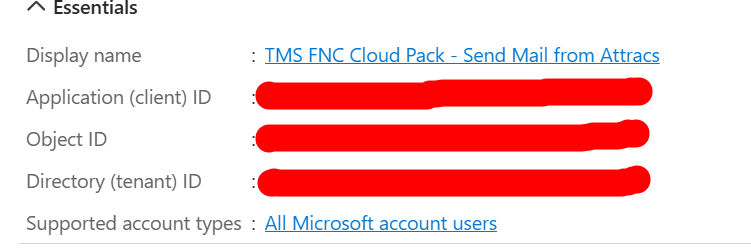
The Application (client) ID should be used as the Authentication.ClientID value for the authentication process.
Sorry, but still don't see how I can get this to work.
To get it concrete, I made a minimal demo.
It only tries to connect, as a successful connection is a precondition for SendMessage.
Connecting works fine for me if I log in with a browser.
But that's what I want to avoid.
Connect() also has an optional parameter, but it appears to serve the same purpose as the OnConnected event.
Could you please change the demo, as it is supposed to work with Connect without triggering the browser login in your reply EmailFromApp.zip (6.8 KB)
Please note that you will need to authenticate through the browser at least once. To avoid the browser prompt on subsequent calls to Connect, you can save the tokens for reuse.
Thanks for the answer. I understand I have to connect regularly to Outlook Azure to keep the connection "alive" and avoid the login.
I can send 2 emails and only need to login on the first one. I googled it, and the access token appears to time out after 60-90 minutes. It feels logical as I always need to login the next day.
However, I also found references to a refresh token with a 90-day timeout.
I admit I don't understand the difference between access and refresh tokens except that have different timeout values.
Can I configure TTMSFNCCloudMicrosoftOutlookMail to maintain an access token automatically? That way, the application needs to connect only once per 90 days. If not possible I can always use a timer to reconnect.
I am also confused about the difference between connecting from the user ID (client app) and connecting the application ID (server app). I see no difference as both need to login with a browser first time. Then both can maintain a connection through frequent connections.
The refresh token (typically valid for 90 days) is retrieved at the same time as the access token (typically valid for 60 minutes) during the authorization flow.
As long as a valid refresh token is available, the Connect call will automatically use it to request a new access token instead of triggering the browser login. Please ensure to set PersistTokens.Key to save the tokens for reuse.
The only way to connect is by using the Connect call.
By default the SendMessage call will send an email with the authenticated user's email address as the sender. If the AAplicationUserIDOrEmail parameter is set to an outlook user id or email address, this email address will be used as the sender.
Note that this will only work if the authenticated outlook user has sufficient permissions to send emails on behalf of the outlook user referenced in the AAplicationUserIDOrEmail parameter.
Example a:
Call Connect and login with user1@outlook.com.
Call SendMessage with an empty AAplicationUserIDOrEmail value.
An email is sent with user1@outlook.com as sender.
Example b:
Call Connect and login with user1@outlook.com.
Call SendMessage with user2@outlook.com as AAplicationUserIDOrEmail value.
An email is sent with user2@outlook.com as sender.