I tried entering the defined execution alias "librewolf.exe", but that didn't work to enable the "custom" browser selection in the tool bar and selecting "default browser" also failed to use LibreWolf when it was installed via the Windows Store and set as default in the OS. What's the secret?
P.S.: I also tried pasting the full path to librewolf.exe into the custom browser Tools setting, which is not ideal since that path will change every time the app is updated via the Store. That did "enable" the "custom" browser selection...but it failed to run the selected browser.
I'm not familiar with LibreWolf.
What exact problem do you experience? Is LibreWolf correctly configured to be the default brower, i.e. does it open just any URL clicked in any app? Does it open a .HTML file when double clicked in Windows Explorer, ... ?
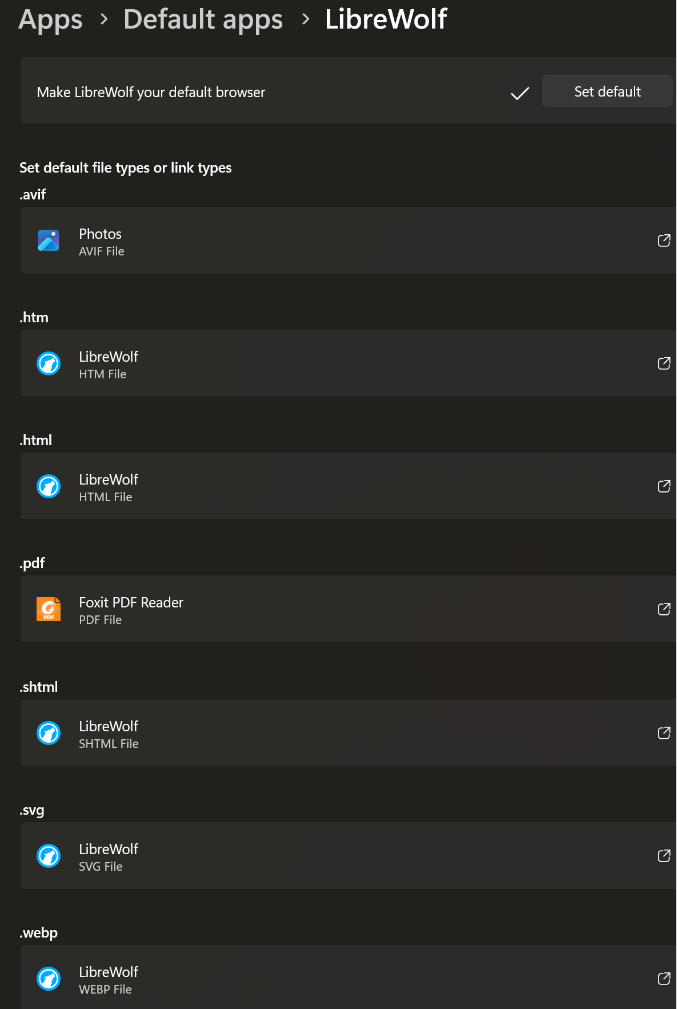
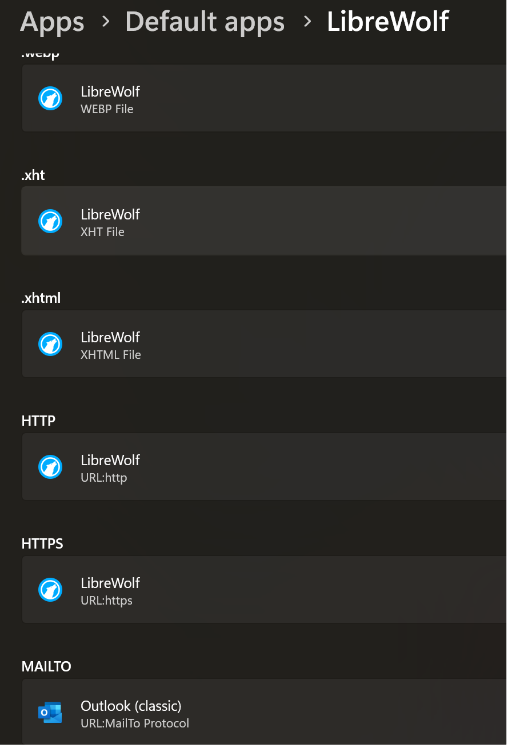
Yes and yes. It's recognized as the default browser (e.g., it opens URLs in Outlook messages) and it works to open .html files in Explorer.
TMS Web Core continues to select Google Chrome somehow, even after a re-Build.
P.S.: I installed LibreWolf via the MSFT Store. It's possible to install it directly from the developer site. Perhaps that's what I need to do to enable Web Core to find it?
As I said, I'm not familiar with LibreWolf.
We can't just install and support every possible exotic browser here.
You could separately test whether this brower is properly registered so following command:
procedure OpenURL(const AURL: string);
begin
  ShellExecute(0, 'open', PChar(AURL), nil, nil, SW_SHOWNORMAL);
end;
will open the URL in this browser, as this is basically with happens in TMS WEB Core.
IIUC, that ShellExecute command is identical to what File Explorer does too, and I've confirmed that LibreWolf receives .html files selected there. LibreWolf is not really "exotic", being essentially a fork of FireFox with default settings that maximize privacy. I've set it to be the default recipient of all but .pdf and MailTo files, but Web Core continues to address its outputs to Chrome. I'll try the ShellExecute command for completeness, but it seems likely that Web Core is doing something "exotic" itself. 
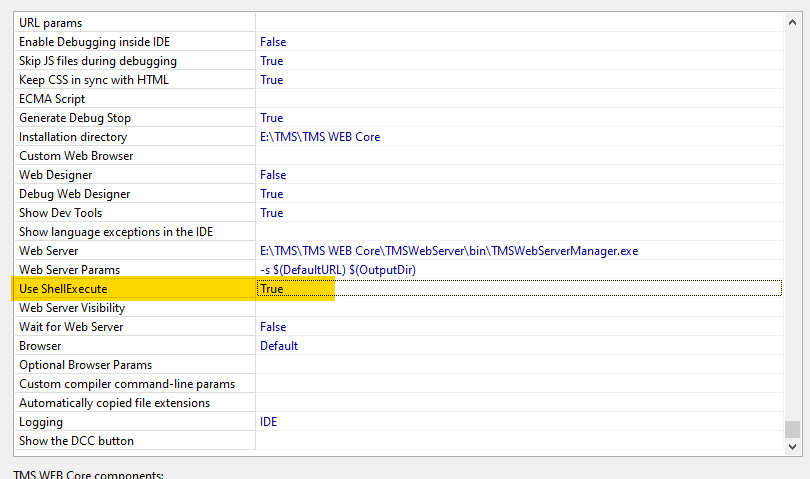
Do you have setting below to true?
It was blank. I changed it to True, restarted IDE, again set Choose Browser to Default, and Web Core still directed output to Chrome.
Did you test what ShellExecute from a Delphi app is doing?
Yes, it opens the URL in LibreWolf:
unit Unit1;

interface

uses
  Winapi.Windows, Winapi.Messages, System.SysUtils, System.Variants, System.Classes, Vcl.Graphics,
  Vcl.Controls, Vcl.Forms, Vcl.Dialogs, Vcl.StdCtrls, Winapi.ShellAPI;

type
  TForm1 = class(TForm)
    Button1: TButton;
    procedure Button1Click(Sender: TObject);
  private
    { Private declarations }
  public
    { Public declarations }
  end;

var
  Form1: TForm1;

implementation

{$R *.dfm}

procedure OpenURL(const AURL: string);
begin
  ShellExecute(0, 'open', PChar(AURL), nil, nil, SW_SHOWNORMAL);
end;

procedure TForm1.Button1Click(Sender: TObject);
begin
  OpenURL('https://www.google.com');
end;

end.
We investigated further.
Can you try to add LibreWolf under
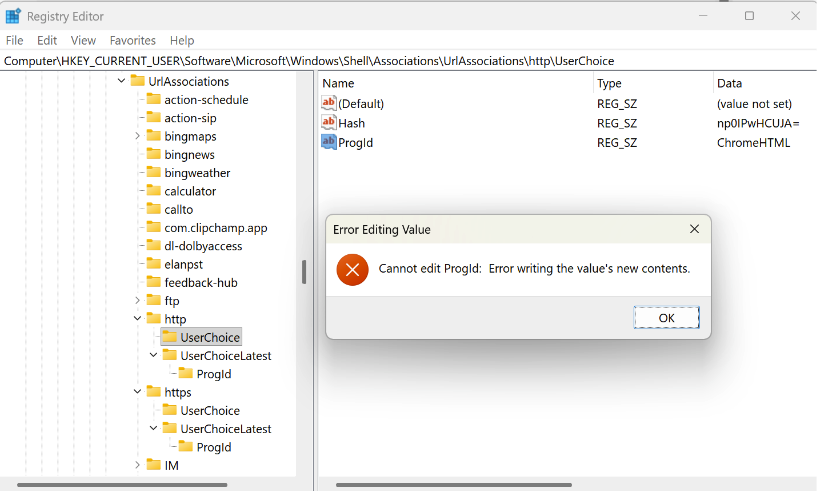
HKEY_CURRENT_USER\Software\Microsoft\Windows\Shell\Associations\UrlAssociations\http\UserChoice
to see if this helps?
Even logged in as Admin I can't seem to make any changes to that key:
If I were to change it, what values would I use? "LibreWolfHTML"? And what Hash?
Path to the LibreWolf EXE
As I said, I'm not allowed (as Administrator) to alter anything in that Registry key, so I can't follow your suggestion. What's the next idea?
I’m out of ideas.
Maybe you can ask the developers creating this browser.
Evidently, the locking of the Registry keys related to HTTP and HTTPS is a Windows "feature" for security and it has been around since Windows 10.  A google search indicates that messing with the Registry to override the key is likely to cause errors and one is supposed only to use Windows Settings for file type associations.
I note that WEB Core Tools/Options for Browser provides a fixed list of 5 browsers that is independent of the ones actually installed. If the Windows Default browser is one of those, WEB Core uses it correctly. Otherwise, it evidently tries to use the first one in its predefined list (Chrome)--even when Chrome is not installed, as shown in the Tool bar menu. Then if Chrome is not available no browser window is opened by Run.
I regard this as a WEB Core bug. If you cannot actually discover the Windows default browser, the app should report an error of some sort, IMO.
Further investigation all point to Librewolf NOT properly registering as all other supported browsers do (Chrome, Edge, Opera, Firefox) and a history of issues around this.
One of the references to this and their mediocre handling:
Why they deviate from Windows standards that have been there for years is a mystery to me.
The item you linked is a "closed" issue that is 4 years old. The OP of that item pointed out that the defect was then only in the in-app procedure for setting the default browser and that Windows Settings did the job correctly. AFAIK, all browsers currently need to use the Windows 11 Settings menu to set the default because the old "Windows Standard" has been deprecated for security reasons. I have used the Windows Settings menu to make Chrome, FireFox, etc., as well as LibreWolf, the "Default Browser" in Windows 11 and it works for all the other apps I've tried (even Outlook). I can live with the existing bug if you don't care to tackle it, since I can launch my Web Core app by copying its URL from whatever browser Web Core launches.
We'll see what to do. At this moment, there isn't a single other user wanting to use this browser LibreWolf. So, we'll evaluate whether further investigation effort & work is all worth it.