I'm probably overlooking something, but I still need your help.
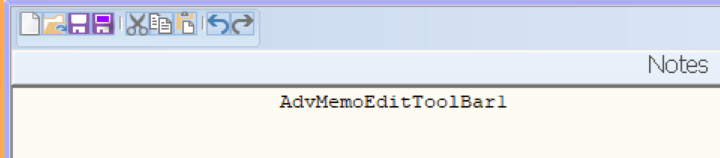
I am using a DBAdvMemo but I cannot get the AdvMemoEditToolBar1 to the desired size.
How can I adjust the size?
I assume from your screenshot you refer to the height of the buttons on the toolbar?
What Delphi version is this?
What TMS VCL UI Pack version is this?
What is the screen DPI?
What are the IDE settings for form editor DPI?
What are the project settings for DPI handling?
Delphi 13
TMS VCL UI Pack version = 13.7.0.0
Screen DPI = 150%
IDE DPI settings for the form editor = Automatic (Screen PPI)
Project
DPI settings = Manifest file (auto-generate)
enable runtime themes; DPI Awareness = GDI Scaling
I tried Monitor V2, but there was no change.
We could see what you mean now.
The built-in glyphs for the buttons are hard-coded and fixed size.
If you replace the glyphs with larger size images (ideally via a TVirtualImageList) , the buttons will auto size and become larger.
You can access the buttons as:
AdvMemoEditToolBar.Controls as TAdvGlowButton and set the properties:
Images: TVirtualImageList;
ImageIndex: index of image in list
Picture := nil ( remove original picture)
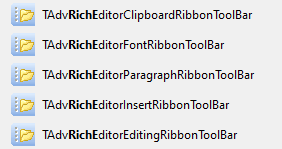
Bruno gave me a good explanation via email, but It’s a unfortunate that no additional memo ribbons are included.
We have at this moment:
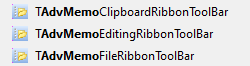
What additional ribbon toolbars for TAdvMemo are you referring to?
Wrong answer from me, what I meant is for the richedit