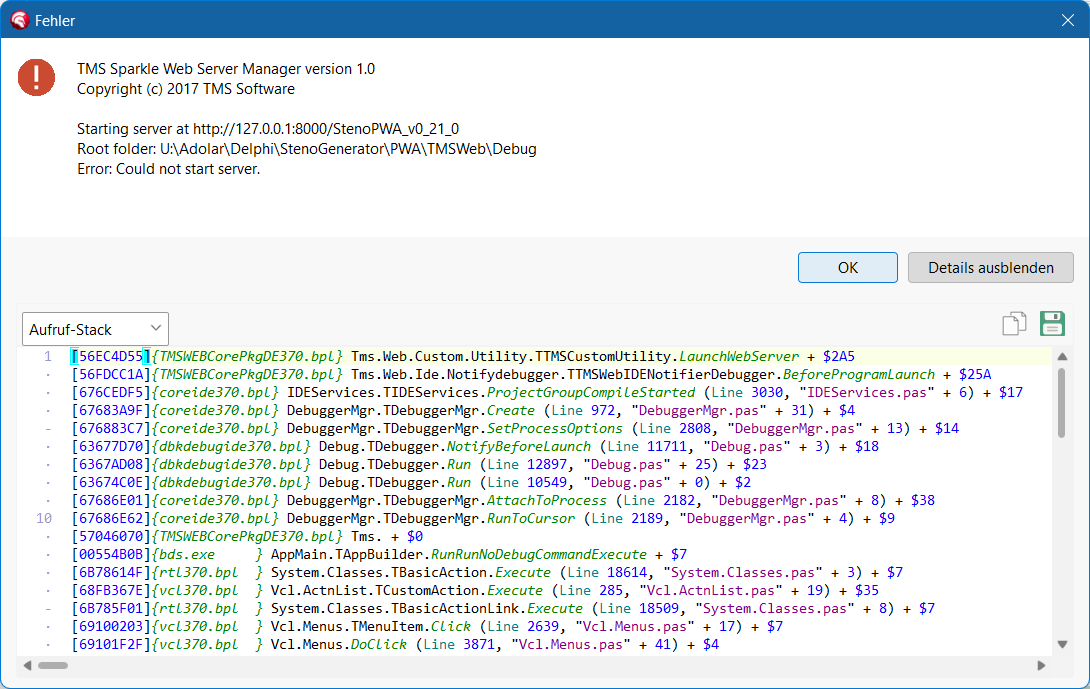
I've just updated my Web Core version to the latest 3.0.4.0 update but am getting various errors when loading Delphi now.
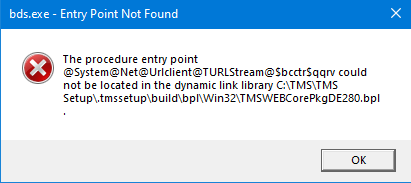
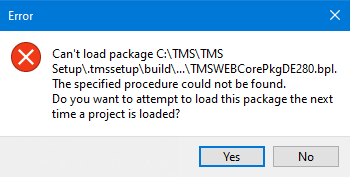
Is there any way of getting 3.0.3.0 back?
I am using Delphi 13.2 enterprise on Windows 11 and Delphi now starts without any error message with the WebCore 3.0.4 version.
Thanks for confirming.
Yes, we released v3.0.4.0 earlier today with the goal to address the Delphi 13.2 issue.
If there is a regression with Delphi 11, we will investigate this.
As a workaround for now, reinstall v3.0.3.0 with TMS Smart Setup specifying you specifically want to install this version, i.e.
tms install tms.web.core:3.0.3.0
For versioning support on TMS Smart Setup, please check:
This is with Delphi 11 and everything was ok before the update
What Delphi 11 update version is this?
It's version 28.0.42600.6491
Thanks the rollback worked
We'll check what now potentially interferes with 28.0.42600.6491 and will report.
When you run TMSHttpConfig.exe from the folder \Bin\Win32, do you see the entry:
http://+:8000/
?
If not, can you add it?
When you launch from \Bin\Win32 TMSWebServer.exe directly, does it start and do you see the TMSWebServer icon in the Windows taskbar?
I found the ServerIcon in the taskbar (thanks for the tip) and checked the server's message there: The target files were locked by another process...?
Restarting the PC solved the problem.
Thanks to Bruno!