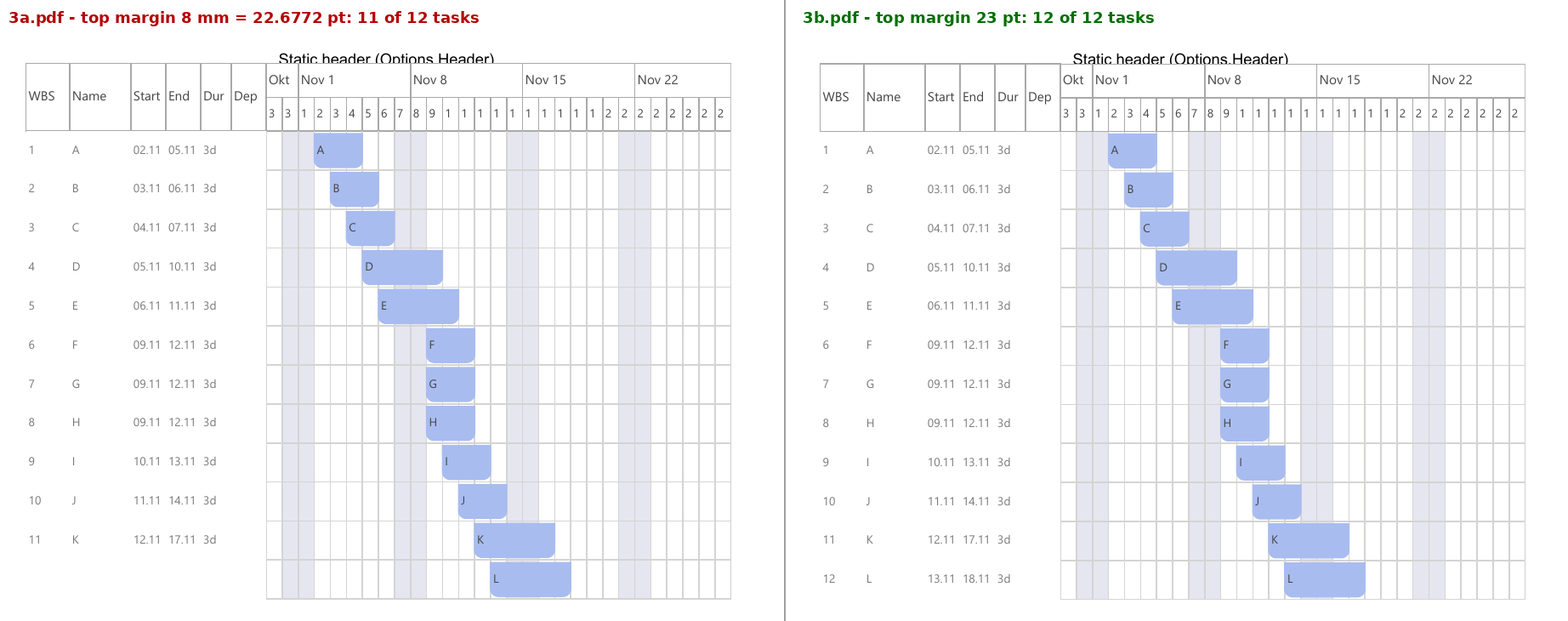
Delphi 13.1 Florence, VCL, TMS FNC Gantt Chart 1.3.3.10, TMS FNC Core 4.5.0.0.
We ran into two small issues while building our print and PDF layout. The attached demo shows both:
- Button 1 writes 1a/1b/1c.pdf.
- Button 2 writes 2.pdf.
- The memo logs what happens.
The PDFs are written next to the exe.
1. DrawExportTimeLine checks UseCustomTaskListAppearance instead of UseCustomTimeLineAppearance
In TTMSFNCCustomGanttChart.DrawExportTimeLine (VCL.TMSFNCGanttChart.pas), six places check AExportOptions.UseCustomTaskListAppearance, but then use AExportOptions.CustomTimeLineAppearance:
| Line | What is drawn |
|---|---|
| 9323 | fill of working / non-working time units (Fill / InActiveFill) |
| 9342 | timeline header fill and stroke |
| 9355 | group font |
| 9415 | time font (HeaderFont) |
| 9472 | vertical lines |
| 9572 | dependency lines |
The other checks in the same routine use UseCustomTimeLineAppearance as expected: 9293 (background), 9653 (task bars) and 9790 (horizontal lines).
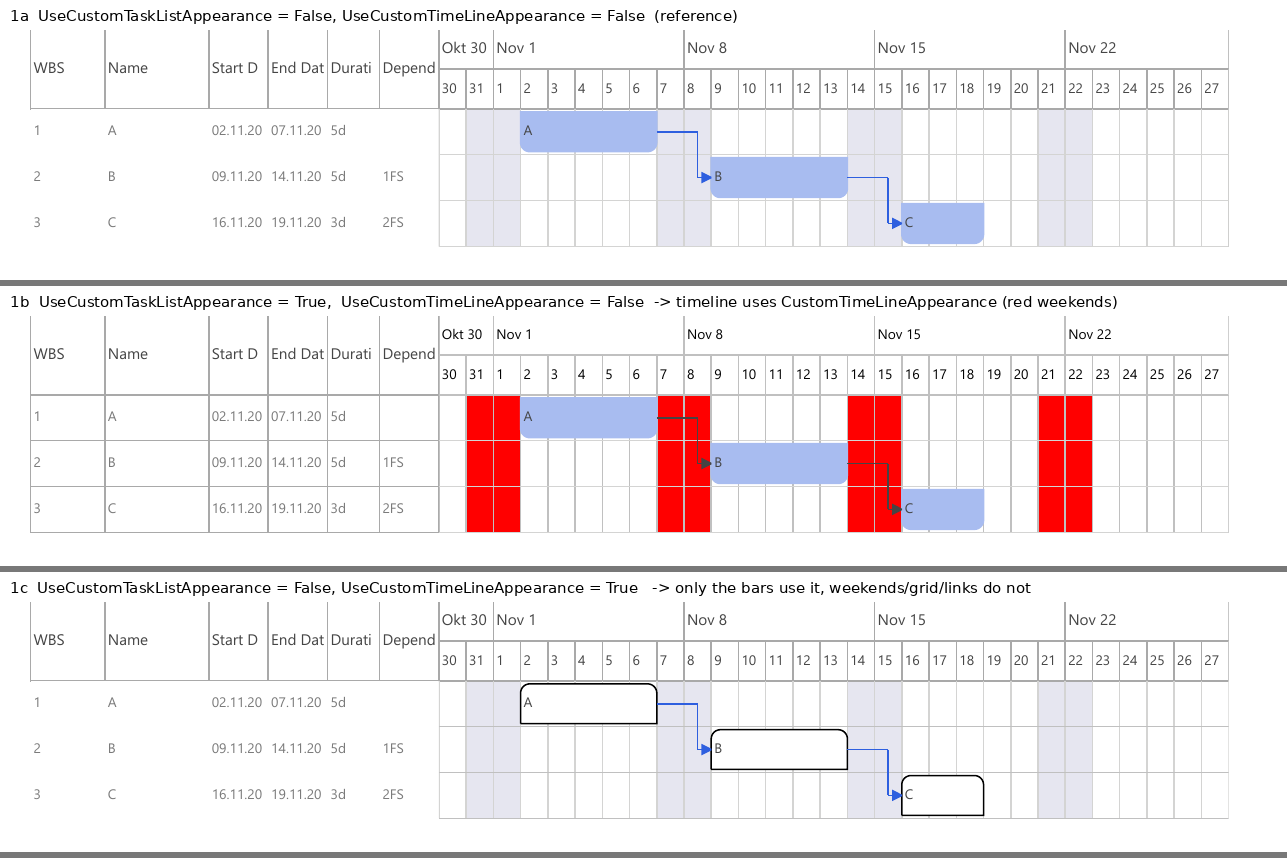
The demo sets CustomTimeLineAppearance.InActiveFill to red, only to make the effect visible, and exports three times (see the attached image):
- 1a – both flags False: this is the reference, with weekends as on screen.
- 1b – only
UseCustomTaskListAppearance= True: the weekends are red. The grid lines, the group font and the dependency lines also come fromCustomTimeLineAppearance, althoughUseCustomTimeLineAppearanceis False. - 1c – only
UseCustomTimeLineAppearance= True: the task bars use the custom appearance, which is correct. The weekends, the vertical grid and the dependency lines don't.
How we noticed: we set UseCustomTaskListAppearance only to get our own task list grid. After that the weekends in the PDF and in the printout came out in silver (192, 192, 192), which is the default of CustomTimeLineAppearance.InActiveFill. On screen they are 230/230/240.
Suggested fix: use UseCustomTimeLineAppearance at these six lines. The routine is called from ExportView, which both the PDF and the print export use, so the printout is affected the same way. Until then we copy the screen appearance into CustomTimeLineAppearance before exporting.
2. OnGetHeader / OnGetFooter are never called
TTMSFNCCustomPDFIO.DoNewPageStarted (VCL.TMSFNCPDFIO.pas, line 629):
if Assigned(Sender) and Supports(Sender, ITMSFNCCustomPDFLib, pdflib) then
The Sender that arrives here is the component, not the backend:
TTMSFNCGeneralPDFLib.DoNewPageStartedpasses the backend.TTMSFNCCustomPDFLib.DoBackendNewPageStarted(VCL.TMSFNCPDFLib.pas, line 3120) then forwardsSelf.Selfis aTTMSFNCPDFLib. It descends fromTTMSFNCCustomComponentand does not implementITMSFNCCustomPDFLib.
So Supports is always False and DoGetHeader / DoGetFooter are never called. The header and footer can't be changed per page.
Demo log for button 2. TProbePDFIO in the demo only logs the Sender and then calls inherited:
DoNewPageStarted: Sender = TTMSFNCPDFLib, Supports(Sender, ITMSFNCCustomPDFLib) = False
OnBeforeDrawHeader page 1: header text = "Static header (Options.Header)"
Pages: 1   OnGetHeader calls: 0   OnGetFooter calls: 0   (expected: one call each per page)
2.pdf shows the static Options.Header / Options.Footer text.
A possible fix, as an untested sketch. The component already offers GetPageIndex, Header and Footer, and TTMSFNCGeneralPDFLib.NewPage calls DoNewPageStarted before DrawHeader:
procedure TTMSFNCCustomPDFIO.DoNewPageStarted(Sender: TObject; APageIndex: Integer);
var
  h, f: UnicodeString;
  lib: TTMSFNCCustomPDFLib;
begin
  if Sender is TTMSFNCCustomPDFLib then
  begin
    lib := TTMSFNCCustomPDFLib(Sender);
    h := Options.Header;
    f := Options.Footer;
    DoGetHeader(FActiveExportObject, lib.GetPageIndex, h);
    DoGetFooter(FActiveExportObject, lib.GetPageIndex, f);
    lib.Header := h;
    lib.Footer := f;
  end;
end;
A side note for anyone overriding DoBeforeDrawHeader or similar methods: the Sender there is the component as well, because DoBackendBeforeDrawHeader also passes Self.
And one question: OnRowIsPageBreak is published on both TTMSFNCGanttChartPDFIO and TTMSFNCGanttChartPrintIO, but we couldn't find a place where it is fired. Is it supposed to work already, or is it planned?
Thanks a lot!
GanttExportIssues.zip (6.2 KB)