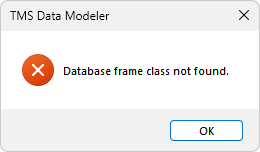
Today I install Data Modeler version 4 on my new PC, and when trying to use the option "New" > "Import from database" option, on the "New connection" screen, I select the "NexusDB" database, and when I click "Next," I receive the following error:
We removed support for those components for now (NexusDB, ElevateDB, AbsoluteDB) from the default Data Modeler distribution because it was causing many issues with distribution, building and versioning. Those libraries need to be compiled together with Data Modeler, so besides building itself, versioning will also be difficult.
If you have NexusDB, you can try to build Data Modeler directly from the source code enabling USE_NEXUSDB directive.